When WordPress Images Don't Need Alt Text
Not every image on a WordPress site needs a written description. Here's how to tell decorative images apart from content images before you fix your alt text.
The common advice is "every image needs alt text." That's close, but it's not quite right, and treating it as an absolute rule leads to a specific bad outcome: people writing descriptions for decorative dividers, background swirls, and repeated UI icons that add nothing for anyone, screen reader user or search engine.
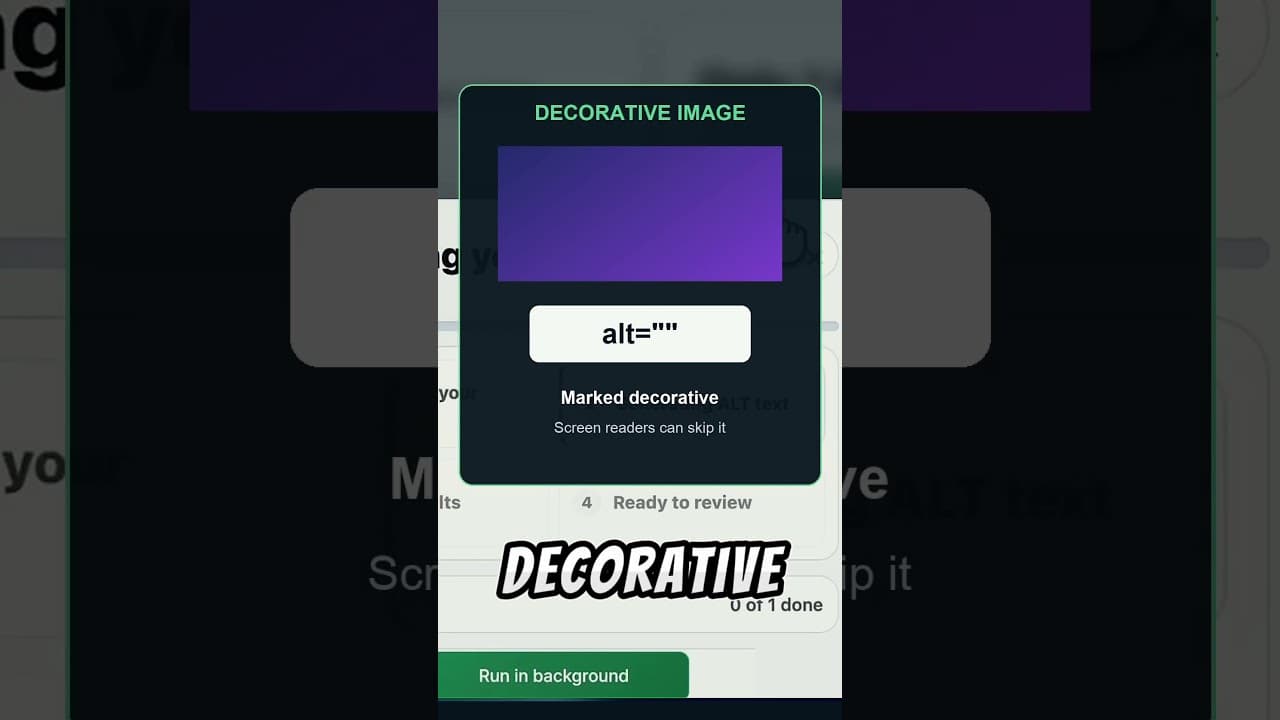
I put together a short clip on when it's actually correct to leave alt text empty, and why that's different from leaving it missing.
The difference between "empty" and "missing"
This is the distinction that gets lost in most alt text advice. An image with alt="" — an alt attribute that's deliberately set to nothing — tells a screen reader to skip the image entirely and move on to the next piece of content. That's the correct behaviour for an image that carries no information: a spacer graphic, a decorative border, a repeated bullet icon.
An image with no alt attribute at all, or an empty field that was simply never filled in, is different. Screen readers often fall back to reading the filename aloud, which means a visually impaired visitor might hear "IMG-2847-final-dot-jpg" read out mid-sentence. That's worse than silence. So the goal isn't "every image has text in the alt field" — it's "every image has the correct alt attribute for what it is," and sometimes correct means intentionally empty.
How to tell decorative from meaningful
A simple test: if you removed the image entirely, would the page lose information? If nothing changes — the content still makes complete sense without it — the image is decorative and should get alt="". If removing it would leave a reader missing something the surrounding text doesn't already say, it's meaningful and needs a real description.
Some concrete examples:
- Decorative — use empty alt text: background patterns, divider lines, a repeated icon that appears identically across every page (like a small arrow next to "read more"), purely stylistic photography with no informational content.
- Meaningful — needs a real description: product photos, screenshots referenced in a tutorial, charts and graphs, infographics, photos of people or events the article discusses, any image a caption refers to.
- Genuinely borderline: a hero image on a blog post that's purely mood-setting and not discussed anywhere in the text. Reasonable people differ here; when in doubt, a short factual description costs nothing.
Why getting this wrong in either direction is a problem
Writing descriptions for every decorative icon isn't just wasted effort — it actively makes the page worse for screen reader users, who end up sitting through a description of a bullet point on every single list item. It also dilutes your alt text signal for search engines, which can't tell "this is deliberately thorough" from "this is keyword stuffing on unimportant images."
Going the other way — leaving meaningful images with no alt text at all because "some images don't need it" — is the far more common mistake, and it's the one that actually costs you image search visibility and leaves real gaps for screen reader users.
A practical workflow for a whole site
- Scan first. The OpptiAI Alt Text plugin reads your WordPress media library and flags images with missing alt text, so you're working from a real list rather than guessing.
- Sort flagged images into decorative and meaningful using the removal test above before writing or generating anything.
- Set decorative images to
alt=""deliberately, not just leave the field blank — the intent matters for anyone auditing the site later. - Generate and review descriptions for the meaningful ones, covering standard content images and WooCommerce product photos alike.
- Recheck new uploads periodically, since the decorative/meaningful split needs to be applied to new images too, not just the backlog.
If you want to see how your current mix looks before changing anything, a free image SEO audit will scan your public pages and flag missing and generic alt text.
Frequently asked questions
Is it ever correct to leave a WordPress image's alt text blank?
Yes, for genuinely decorative images — background graphics, spacers, repeated stylistic icons — an empty alt="" attribute is the correct, deliberate choice. It tells screen readers to skip the image rather than reading a filename or a pointless description aloud. The key word is deliberate: it should be a decision, not an oversight.
How do I know if an image is decorative or meaningful?
Ask whether removing the image would remove information from the page. If the surrounding text already says everything the image shows, or the image is purely stylistic, it's decorative. If a reader would lose something by not seeing it — a product's appearance, data in a chart, a screenshot a tutorial refers to — it needs real alt text.
Does WCAG require alt text on every single image?
WCAG requires that every image have an alt attribute, but it explicitly allows that attribute to be empty for purely decorative images — that's what alt="" is for. What it doesn't allow is simply omitting the attribute or leaving meaningful images undescribed. The requirement is about correctness, not maximum word count.
Related Posts
Is This Image Decorative or Content? How to Tell Before Writing Alt Text
Before you can prioritise alt text fixes, you need to classify images correctly. Here's a practical test for telling decorative images apart from content images.
Alt Text for Screenshots and Infographics in WordPress
Screenshots and infographics need alt text that describes the data shown. Here's how to write it, and where a short alt attribute isn't enough.
How to Add Alt Text to SVG Images in WordPress
SVG images don't pick up alt text the way JPEGs and PNGs do. Here's why WordPress treats them differently, and how to make SVGs accessible.