What WordPress image SEO actually includes
WordPress image SEO is not “stuff keywords into every alt field.” It is the set of decisions that make images crawlable, understandable, and usable: informative alt text, empty alt for decorative chrome, readable filenames, sensible file weight, and templates that do not strip attributes. Alt text is the highest-leverage control for most sites because Media Libraries grow faster than editorial time.
Titles, schema, and internal links still matter for classic web SEO. Image search is a parallel discovery surface where the photo itself is the result. If your library is silent, Google Images and screen readers both get silence.
Why WordPress media libraries fail image SEO
Libraries fail for operational reasons, not ignorance. CSV imports leave alt empty. Theme demos ship filename strings. Freelancers paste captions into the wrong field. Agencies ship the redesign and park “accessibility phase two.” SEO suites remind editors on the post screen — then ignore five thousand older attachments.
The result looks like a site that “does SEO” while product galleries, blog heroes, and evergreen explainers remain invisible to assistive tech and thin in Image search.
How to audit WordPress image SEO coverage
Start on live URLs, not opinions. Crawl a handful of money pages with the free image SEO audit or the alt text checker. You want proof stakeholders can see: missing and weak alt on homepage, category, and top content or product templates.
Then sample the Media Library for the same pattern at attachment scale. Public audits catch what templates render; library scans catch the backlog you will actually remedi- ate. Methodology for OpptiAI’s aggregates lives on the audit methodology page — we do not invent industry-wide percentages before the sample threshold.
Alt text that helps SEO and accessibility
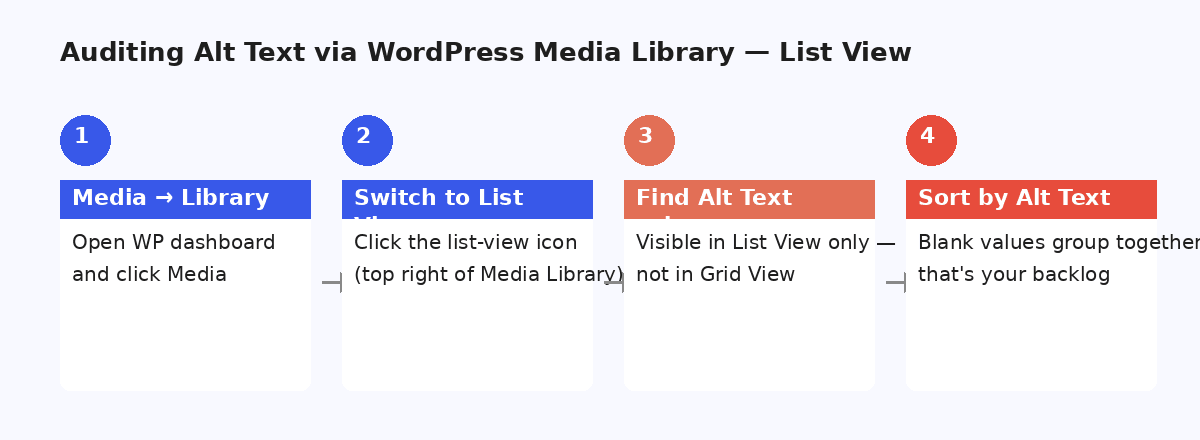
Good alt describes what the image shows that nearby text does not already say — product type, distinctive detail, chart takeaway. Bad alt is empty on informative images, filename echoes, or keyword stuffing (“buy cheap red sneakers UK online”).
Decorative images should be empty on purpose. Mixing those jobs is how sites end up with “red SALE badge” on every thumbnail. Write the rule once; enforce it in review. Deeper criteria live in the WCAG 2.2 image guide and does alt text help SEO?.
Bulk remediation without silent AI publish
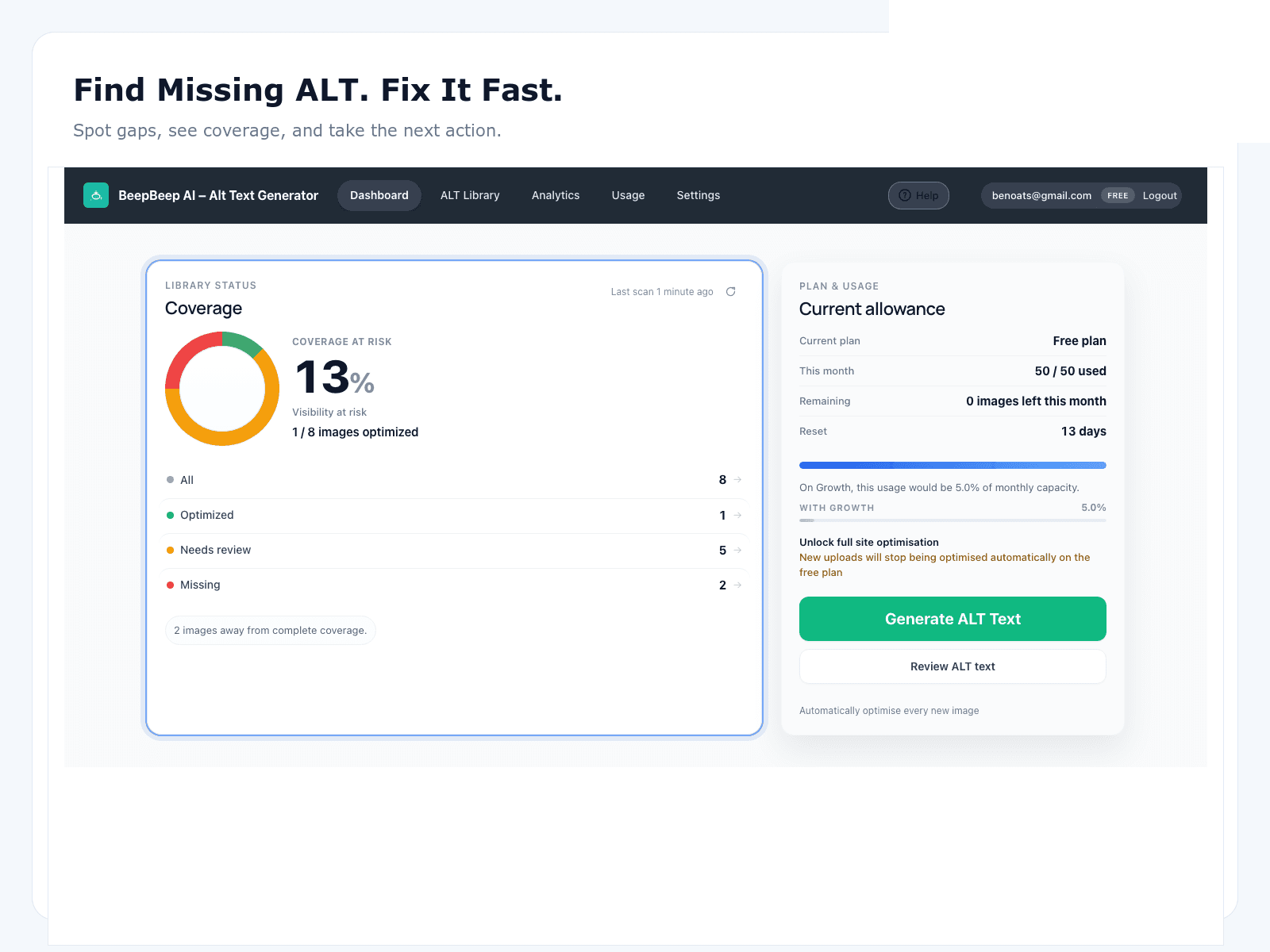
Hand-editing attachments does not scale past a few dozen images. The durable pattern is scan → generate drafts → human review → save → keep new uploads on the same loop. AI accelerates drafting; review-before-save is the quality and liability gate.
Step-by-step for any library: bulk alt text for WordPress. Process trade-offs: manual alt text vs AI.
WooCommerce product and gallery image SEO
Stores inherit every library problem plus CSV imports, variation photos, and gallery swipes. Featured images and galleries on active SKUs are the money set; decorative badges are not. Prioritise bestsellers before the archive.
Drill down via /for-woocommerce, WooCommerce image SEO, the playbook, and the composite ecommerce case study.
Accessibility without conformance theater
Filling alt attributes does not make a whole site WCAG conformant. It is one necessary track with measurable coverage. Classify informative vs decorative, remediate money journeys, sample QA, and report residual risk honestly.
Program overview: /for-accessibility. Agencies scoping client work: /for-agencies.
Choosing WordPress image SEO tooling
Keep your SEO suite for titles, meta, and schema. Keep a compressor for file weight. Use a specialist for library-scale alt text with review-before-save. Suites and compressors are not substitutes for Media Library coverage.
Start with best WordPress alt text plugins and the alternatives library (Yoast, Rank Math, AIOSEO, SEOPress, ShortPixel, BYOK, AltText.ai). Product details: OpptiAI Alt Text.
WordPress image SEO cluster map
Use this pillar as the hub. Open the spoke that matches intent — store, bulk how-to, accessibility, comparison, or evidence.
For WooCommerce
Store persona hub
WooCommerce image SEO
Commercial product-image landing
Bulk alt text
Library-scale how-to
Manual vs AI
Process decision guide
Best WP alt plugins
Buying comparison
Alternatives library
Suite & specialist comparisons
WCAG 2.2 images
Accessibility playbook
Case studies
Composite before/after stories
State 2026
Report (data-gated)
Free audit
Public-page diagnosis
FAQ
What is WordPress image SEO?
WordPress image SEO is making images discoverable and useful in search — especially Google Images — while keeping them accessible. Foundations: accurate alt text, sensible filenames, compressed assets, and coverage across posts, pages, and product galleries.
Does every image need alt text?
Informative images need meaningful alt text. Decorative images should usually use empty alt so screen readers skip them. The mistake is leaving meaningful images blank or stuffing keywords into every field.
Can Yoast or Rank Math replace a dedicated alt text plugin?
SEO suites help with on-page analysis and reminders, but they are not built for scanning an entire media library, bulk AI generation, and approving descriptions before save. Pair your suite with a specialist like OpptiAI Alt Text for library-scale work.
How do I start improving WordPress image SEO today?
Run the free OpptiAI image SEO audit on public pages, install the free Alt Text plugin from WordPress.org, then review AI suggestions before saving. Prioritise product, hero, and content images first.
Will fixing alt text guarantee more traffic?
No honest guide can promise that. Better coverage supports accessibility and can help Google Images discovery. Treat Images clicks as a secondary metric after you can prove coverage on money pages.
Where should WooCommerce stores go next?
Use /for-woocommerce and /woocommerce-image-seo for store intent, then the WooCommerce Image SEO Playbook for a 90-day operating plan. This pillar stays the cross-site map.