Live on WordPress.org
Find orphan pages in one scan.
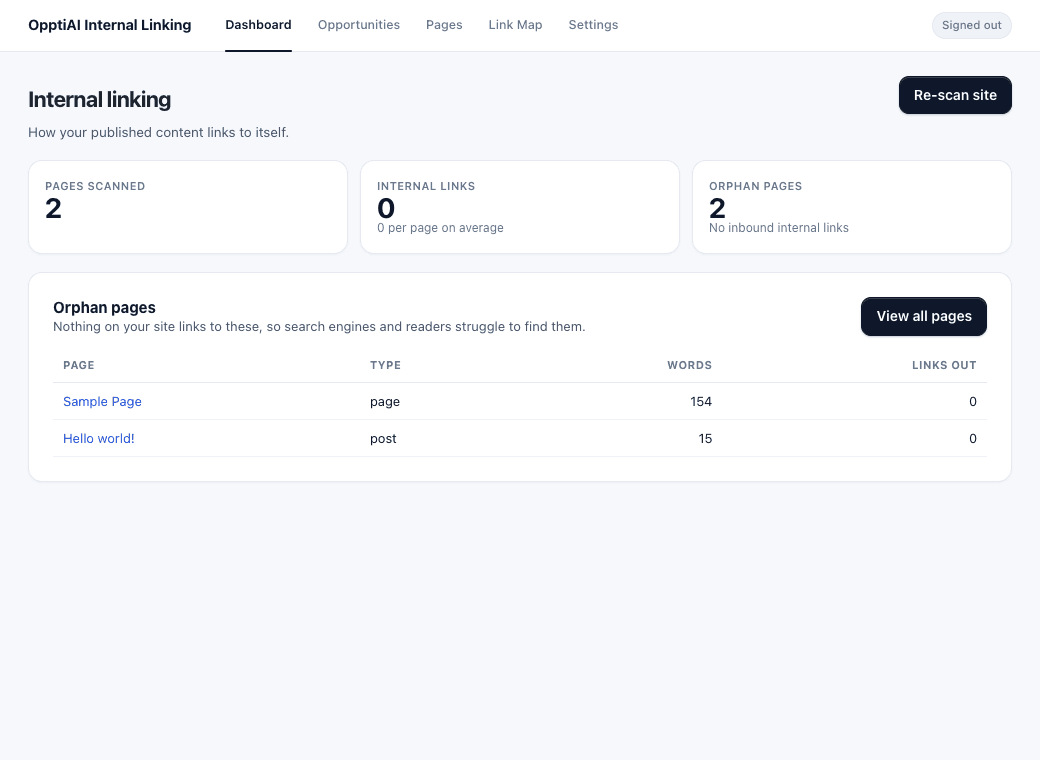
What OpptiAI Internal Linking does
An orphan page is a published post or page that no other page on your site links to. The scan runs on your site and lists those pages.
Find orphan pages
The scan lists published posts and pages with no inbound internal links. This check stays in WordPress.
See your internal links
Every scanned post and page gets an inbound count and an outbound count. Links inside blocks and shortcodes are included. The link map shows which pages are hubs and which pages are cut off.
Apply a link you have reviewed
Nothing is inserted on its own. An approved link never self-links, never nests inside an existing link, and saves a revision. If there is no safe place for the link, the post is left unchanged.
Choose what to scan
Posts and pages are scanned by default. You can add other public post types, including WooCommerce products.
No account for the scan
The scan runs on your site. It does not need an OpptiAI account, and it does not use credits. AI suggestions stay off until an administrator opts in and you ask for a specific page. AI suggestions are free to try.
3 free WordPress audits
- Alt TextSee which images are missing alt text.
- TitlesCheck for missing, duplicate and wrong-length titles and meta. Works alongside Yoast, Rank Math and AIOSEO.
- Internal LinkingFind orphan pages nothing links to.
FAQ
What is an orphan page?
A published post or page with no internal link pointing to it from your other content. The scan lists those pages.
Do I need an account to find orphan pages?
No. The scan, the pages list, and the link map run in WordPress. An OpptiAI account is only used when you ask for an AI link suggestion.
Does this add internal links automatically?
No. A link is inserted only when you apply a suggestion you have reviewed. Each apply saves a post revision. When there is no safe match, the post is left unchanged.
Does the scan use credits?
No. Scanning, orphan detection, and applying an approved link do not use credits. AI link suggestions need an OpptiAI account and are free to try.
Which content is scanned?
Posts and pages by default. You can enable additional public post types, including WooCommerce products, under Settings, Content to scan.
Will this raise my search rankings?
It shows you pages with no internal links and lets you add links you approve. It does not edit titles, metadata, or sitemaps, and it does not promise higher rankings.
Find orphan pages inside WordPress
Free on WordPress.org.