How we evaluated WordPress alt text plugins
We scored each option against four criteria that predict success on real sites: whether it can scan and queue the Media Library at scale, whether humans approve drafts before they save, whether WooCommerce product and gallery images are in scope, and whether pricing is predictable for a remediation sprint.
We ignored vanity metrics — install counts, affiliate star ratings, and “#1 plugin” badges that change every month. Features shift between releases; every row in the scorecard below should be confirmed in live demos on your own library before purchase.
Publishers, agencies, and blogs share the same core problem as stores: uploads arrive faster than editorial capacity. The difference is weighting — a newsroom may care more about multi-language drafts; a store cares more about colourways and pack sizes. This guide defaults to general WordPress sites; store operators should also read the WooCommerce buying guide.
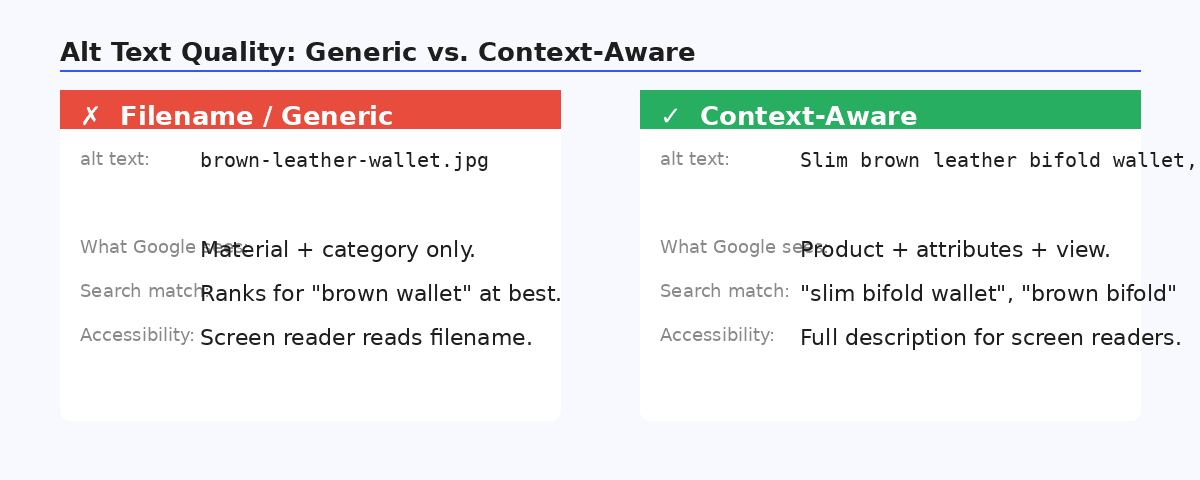
We also tested whether each tool respects decorative-image policies — plugins that blanket-fill every attachment create accessibility noise on sites with heavy iconography or badge graphics. Finally, we looked at onboarding friction: managed generation (no API key) versus bring-your-own-key setups that shift cost accounting to your finance team.
Best WordPress alt text plugins: scorecard table
Use this table to shortlist, then verify in wp-admin on a staging copy of your library — we do not assign star ratings or fake rankings.
| Plugin | Bulk generation | Review before save | WooCommerce | Price |
|---|---|---|---|---|
| OpptiAI Alt TextOur pick | Yes — full media library queue | Yes — approve before saving | Yes — products & galleries | Free tier, then £4.99/month |
| AltText.ai | Yes — WP plugin + bulk updater | Autopilot-oriented (verify in product) | Yes — ecommerce vision / Woo | Free trial credits, then paid / credit packs |
| AI Alt Text Generator (BYOK) | Yes — bulk + on upload | Generates into library (verify review UX) | Pro add-on for product context | Free plugin + your API key, or managed credits |
| ShortPixel Image Optimizer | Yes — AI Image SEO + bulk | Configurable generation (verify overwrite rules) | Yes | Bundled with image optimisation plans |
| Manual / built-in WordPress | No | Manual | Manual | Free (your time) |
Last reviewed 24 July 2026. Features change — verify before buying. External references (nofollow): AltText.ai, AI Alt Text Generator, ShortPixel roundup.
Review-before-save: the criterion most roundups skip
Autopilot modes that write alt directly to the database without a human gate are fast and risky — AI misreads materials, confuses similar products, or stuffs keywords where a plain description belongs. Review-before-save means drafts land in a queue you edit and approve before they go live.
OpptiAI defaults to approve-then-save. AltText.ai leans more autopilot-oriented — some teams prefer that speed; verify the setting matches your QA bar. BYOK plugins vary by configuration; ShortPixel bundles generation with compression and may overwrite existing alt depending on settings — read the overwrite rules before a bulk run. Manual editing always has review built in, at the cost of time.
Build a short QA checklist for your team: accurate subject, no competitor brand names, no keyword lists, decorative images left empty on purpose. Reviewers who know the content catch hallucinations faster than generic editors.
Agencies should document the review step in client handover packs — autopilot tools that skip approval create rework when a brand team discovers inaccurate product descriptions weeks after launch. The review queue is also where you enforce house style: British vs American spelling, trademark symbols, and maximum character counts for template constraints.
Bulk generation and Media Library scale
If you have more than a few dozen images, per-attachment editing in the Media Library is a backlog factory — evaluate whether a plugin can scan for missing and weak alt, then queue hundreds or thousands for batch processing.
Ask vendors: Can you filter by upload date or post type? Is there a batch size limit per run? Does bulk include images attached to posts and products, not just orphan uploads? OpptiAI queues library-wide with review-before-save; AltText.ai and BYOK options offer bulk through their respective connectors — confirm current limits in docs. ShortPixel passes on bulk when bundled with optimisation plans; manual WordPress fails by definition.
For the operational workflow after you pick a tool, see bulk alt text for WordPress. Pilot on a few hundred recent uploads before you touch the full archive.
Batch sizing matters for QA morale: a few hundred images per sprint keeps reviewers engaged; ten thousand in one autopilot run guarantees someone will approve without reading. Good plugins expose queue depth, filter by missing vs weak alt, and let you pause mid-batch when a product line needs manual attention.
WooCommerce: when general plugins are not enough
Stores need product-aware alt on featured images, gallery slots, and often variation images — not just generic library scanning that treats a red handbag the same as a blog hero.
OpptiAI, AltText.ai, and ShortPixel all claim WooCommerce support in some form; BYOK tools may need a Pro add-on for product context. The test is practical: run a pilot on twenty bestsellers with multi-image galleries and confirm each slot gets a distinct, accurate draft you would approve without rewriting every line.
CSV imports are the silent killer — a seasonal drop without alt columns can wipe weeks of remediation. Whatever plugin you choose, pair it with import checklists and periodic rescans. Store-specific evaluation weights live in the best WooCommerce alt text plugins guide.
SEO suites vs dedicated alt text specialists
Yoast, Rank Math, AIOSEO, and SEOPress excel at titles, meta descriptions, schema, and on-page analysis — they are not built to queue five thousand Media Library attachments for AI drafts with a review step.
Image compressors (ShortPixel, Imagify, host optimisers) solve file weight, not description. Alt specialists solve description, not Core Web Vitals. The practical stack is suite + alt plugin + compressor — three jobs, three tools. See Yoast SEO alt text for how the split works in practice, and the alternatives library for deeper head-to-head notes on AltText.ai and BYOK options.
Do not double-pay expecting your SEO suite to replace a library-scale alt tool unless you have verified bulk gallery support in current release notes. Upgrading suite tiers for a checkbox is usually more expensive than adding a focused alt plugin.
Compressors that add “AI Image SEO” as a checkbox often bundle alt with file optimisation — convenient if you already subscribe, but read whether generation overwrites existing alt and whether review is optional or absent. Specialists like OpptiAI and AltText.ai exist because description at library scale is a product category, not a feature flag inside a suite or optimiser.
Our pick: OpptiAI Alt Text Generator
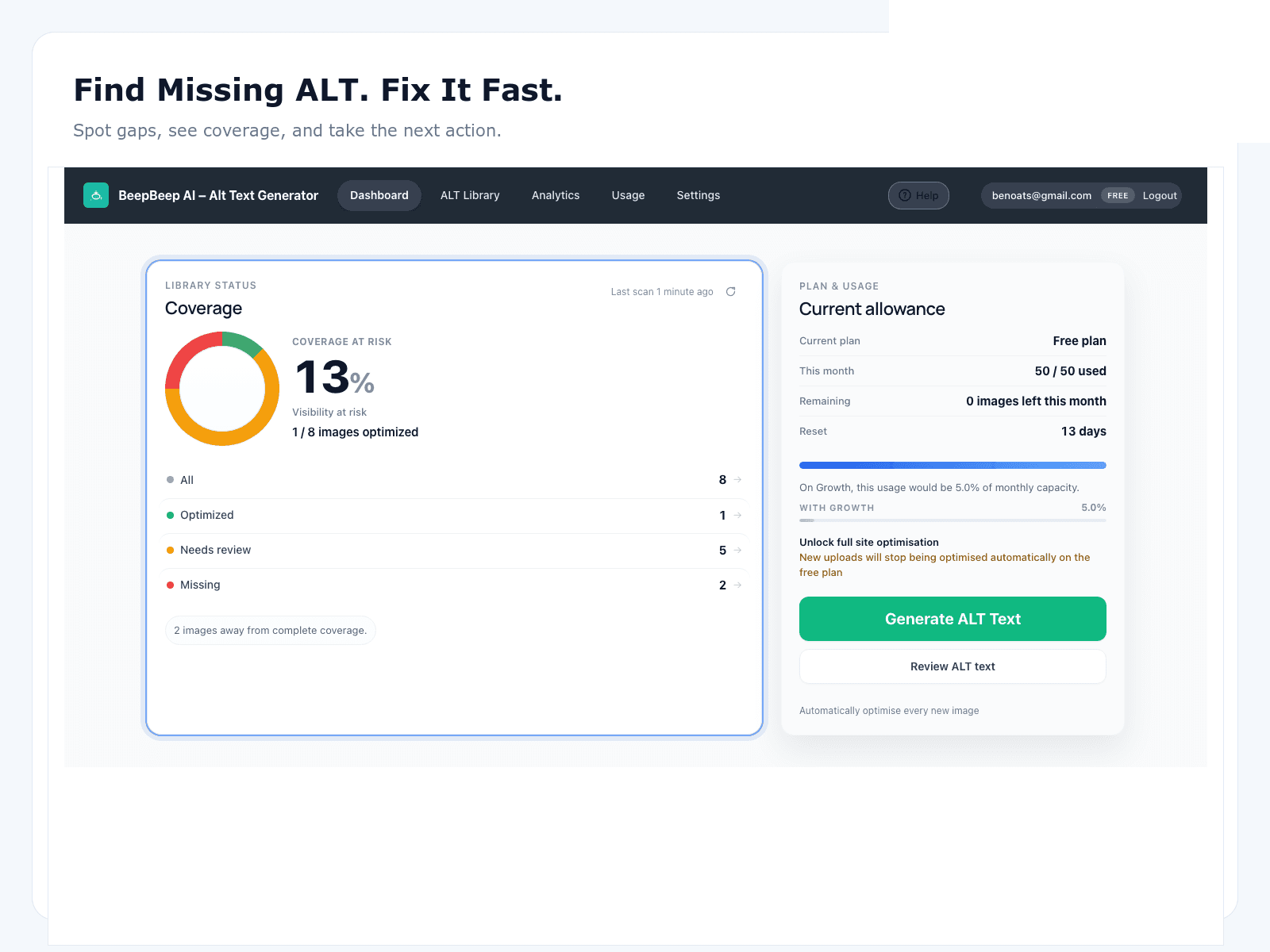
OpptiAI Alt Text Generator is our recommendation for most WordPress sites that need library-scale remediation with human approval — not because it wins a fake scorecard, but because bulk generation, review-before-save, and WooCommerce coverage are the criteria this page argues for.
It is free on WordPress.org (listed as OpptiAI Alt Text), with paid plans from £4.99/month when volume exceeds free limits. Install on staging, scan coverage, pilot a batch of a few hundred images, and keep your SEO suite untouched. Full product details, screenshots, and pricing tiers live on the OpptiAI Alt Text product page.
Teams comparing AltText.ai specifically should read the AltText.ai alternative breakdown before committing to either workflow.
Model twelve-month total cost: subscription or credits, internal review hours, and any rework from autopilot mistakes. A review-first tool with a modest sticker price often beats a cheaper autopilot option once you count the hours fixing bad alt across thousands of URLs.
WordPress image SEO hub
Coverage, audits, and remediation paths for any site.
Alternatives library
Deeper head-to-head comparisons — verify features yourself.
OpptiAI Alt Text product page
Install, screenshots, pricing, and feature breakdown.
Yoast SEO alt text
What Yoast covers and where a dedicated plugin fits.
AltText.ai alternative
Workflow and pricing differences for WordPress teams.
Best WooCommerce alt text plugins
Store-specific buying guide for catalogues and galleries.
When to stay manual (or skip plugins entirely)
Manual alt text is the right call when your library is tiny, highly bespoke, or governed by legal sign-off that cannot tolerate AI drafts — think a dozen portfolio shots or regulated medical imagery where every word is counsel-reviewed.
Stay manual if your images are almost entirely decorative and your accessibility policy already documents empty-alt rules — a plugin that blanket-fills decorative assets creates noise, not value. Likewise, if you migrate libraries rarely and upload fewer than twenty informative images per month, the free WordPress attachment fields may be enough with a lightweight editorial checklist.
The crossover point is usually a few hundred images or any WooCommerce catalogue with galleries. Past that, staff time dominates total cost even when software is “free.” The manual vs AI guide models labour costs if you need stakeholder numbers, and the WordPress image SEO hub maps remediation paths whether you automate or not.
Hybrid approaches work: hand-write alt for hero images and campaign assets where brand voice matters most, then bulk-generate the long tail of blog inline images and catalogue shots. The goal is useful coverage, not 100% automation for its own sake.
FAQ
What is the best WordPress alt text plugin?
There is no universal winner — match the tool to library size and QA bar. For most sites with hundreds or thousands of images, prioritise bulk generation, review-before-save, and WooCommerce support if you sell products. OpptiAI covers all three on a free WordPress.org tier; verify limits and pricing before you commit.
Should alt text be generated automatically or written by hand?
Hand-writing is accurate but does not scale past a few dozen images. The practical approach is hybrid: let AI draft descriptions in bulk, then review and edit brand-specific wording before saving. Autopilot without a human gate is fast and risky on product and editorial photos.
Is a free alt text plugin good enough?
A free tier is ideal for small sites and for trying a workflow before committing. Larger libraries, agencies, and stores usually need a paid plan for monthly volume, bulk processing, and automation for new uploads. Model your catalogue size against each vendor's limits.
Can I keep Yoast or Rank Math with a dedicated alt plugin?
Yes — and you should. SEO suites own titles, meta descriptions, schema, and canonical logic. A dedicated alt plugin owns Media Library scale. They complement each other instead of competing. See our Yoast alt text notes for how the jobs split.
How is this different from the WooCommerce plugin roundup?
This page covers all WordPress sites — blogs, publishers, agencies, and stores. The best WooCommerce alt text plugins guide weights galleries, variations, and SKU prioritisation more heavily. Use both if you run a product catalogue.