Ideal Alt Text Length for WordPress SEO
How long should WordPress alt text actually be? A practical range for image SEO, with examples of alt text that's too short, too long, and about right.
There's no hard character limit on WordPress alt text, but that doesn't mean any length will do. Write it too short and you throw away context a screen reader user or Google's image crawler actually needed. Write it too long and screen readers start truncating or skimming past it, while search engines read the extra words as an attempt to game rankings rather than describe a picture. Somewhere in the middle is a range that works for both audiences, and it's narrower than most WordPress default themes and page builders lead you to believe.
Screen readers don't enforce a hard cutoff either, but JAWS and NVDA both start truncating extremely long alt text in practice, and testing has shown screen reader users losing patience with alt text that runs past roughly 125 characters — they'll skip to the next element before the description finishes. Google doesn't publish an alt text limit, but its own advice is "describe the image accurately and succinctly," which points the same direction as the accessibility guidance, not against it.
Why "just describe the image" isn't specific enough
Every WordPress alt text guide says "describe the image," and that's correct as far as it goes, but it doesn't tell you when to stop. A product photo, a decorative icon, and a complex infographic all need wildly different treatment, and a one-size answer like "keep it under 125 characters" breaks down the moment you hit an image that genuinely needs more context to be useful.
The better question isn't "how many characters" but "how much does someone need to know to get the same information a sighted visitor gets from looking at this image, without extra words that don't add anything." For most WordPress content images, that lands naturally in the 80–125 character range. For complex images — charts, diagrams, multi-element product shots — it can run longer, but the extra length should all be doing work, not padding.
What alt text that's too short looks like
Short alt text usually fails by being generic rather than by being brief. "Product photo," "image1234.jpg" carried over as the alt text, or just the product name with no descriptive detail ("Blue jumper") are common WordPress patterns, especially on WooCommerce stores where alt text gets auto-populated from the filename or product title and nobody goes back to fix it.
The test: if you removed the image and only had the alt text left, would you know what was actually shown? "Blue jumper" passes for a single product photo. It fails for a product gallery with six images of the same jumper from different angles, because "Blue jumper" repeated six times tells a screen reader user nothing about which photo is the front view versus the fabric close-up versus the model wearing it.
What alt text that's too long looks like
Long alt text usually fails by trying to do two jobs at once: describing the image and stuffing in keywords, or describing the image and writing marketing copy. "Beautiful comfortable blue merino wool jumper perfect for winter, buy now for the best price on lightweight cosy knitwear" is alt text with a marketing brief hiding inside it. Strip out everything that isn't describing what's visually in the frame — "Navy blue merino wool jumper, crew neck, folded flat" — and you get something a screen reader can finish reading before the user moves on, and something Google can trust because it reads like a description rather than an ad.
The other long-alt-text failure is over-describing genuinely simple images: a plain arrow icon doesn't need "Right-pointing arrow icon in brand blue colour indicating forward navigation to the next page in the checkout flow." "Continue to next step" or, if it's purely decorative navigation chrome, an empty alt attribute, both beat that.
A practical walkthrough: setting a length target for your site
- Pick a working range, not a hard limit. 80–125 characters is a reasonable default for most content images on a WordPress site — long enough to be specific, short enough to be read in full by assistive tech.
- Sort your images by type before you audit length. Product photos, blog post images, icons, and infographics all have different natural lengths. Applying one number across all of them is how you end up over-describing icons and under-describing infographics.
- For anything under 15 characters, check it's not a placeholder. Filenames, "image," "photo," and single words with no context are the usual culprits and are almost always worth rewriting regardless of your target range.
- For anything over 150 characters, look for keyword stuffing or marketing copy first. Genuinely complex images (data visualisations, step-by-step diagrams) are the exception — check whether every extra word is describing content the image actually contains before deciding the length is justified.
- Read each alt text aloud at conversational speed and time it. If it takes more than about eight seconds to say, a screen reader user is likely to move on before it finishes. That's a more reliable check than counting characters, because it accounts for how dense the wording is, not just how long the string is.
- Re-check after bulk edits. Bulk alt text tools and CSV imports can apply the same template to hundreds of images at once, which is efficient but easy to get systematically wrong in one direction — worth spot-checking a sample against the length target after any bulk pass.
Frequently asked questions
Is there an official WordPress or Google character limit for alt text?
No. WordPress itself places no limit on the alt attribute's length, and Google has never published a maximum character count for alt text. Google's guidance is qualitative — accurate and succinct — rather than numeric. The 125-character figure that circulates widely comes from screen reader behaviour under testing, not from a platform-enforced rule, which is why it's a practical guideline rather than a hard cutoff you'll get penalised for crossing.
Should alt text length be different for WooCommerce product images versus blog post images?
Usually not by much, but the failure modes differ. WooCommerce product images tend to run too short because alt text gets auto-filled from the product title and never edited, especially across galleries with multiple angles of the same product. Blog post images tend to run too long because writers describe context and mood rather than just content. The same 80–125 character target works for both — what changes is which direction you're correcting from.
Does longer alt text always help image SEO more than shorter alt text?
No. Google's image ranking systems look for alt text that accurately matches the image content and the surrounding page context, not for alt text that's simply longer or keyword-dense. Padding a description past the point of accuracy — adding brand adjectives, calls to action, or repeated keywords — reads as manipulation to Google's systems in the same way it reads as noise to a screen reader user, and can work against the image rather than for it.
Checking length across a handful of images by hand takes a minute. Checking it across a media library with hundreds of images — separating the ones that are too short, too long, or just missing entirely — isn't realistic to do manually. OpptiAI Alt Text scans your WordPress media library and flags alt text outside a healthy length range alongside missing and low-quality entries, so the fixes worth making by hand are the ones you actually see. Start with the free image SEO audit if you want a quick read on where your site stands first.
Related Posts
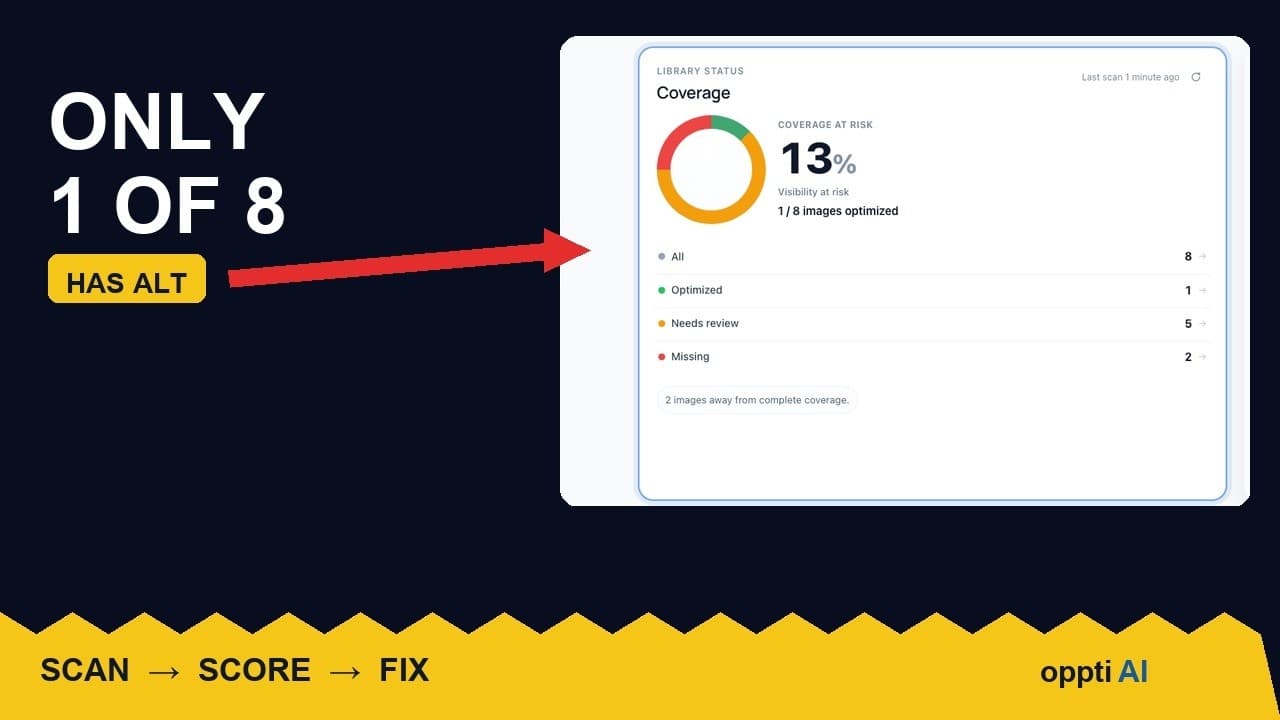
How to Run an ALT Text Coverage Audit on WordPress
An ALT text coverage audit shows exactly how many WordPress images are missing alt attributes, and which ones genuinely need fixing first.
What a Low ALT Text Coverage Score Really Means
A low alt text coverage score on WordPress looks alarming at first glance. Here's how to read the number properly before you panic or ignore it.
Why WordPress Featured Image Alt Text Comes First
A featured image's alt text shows up in far more places than a normal content image. Here's why it deserves the first fix, not the last.