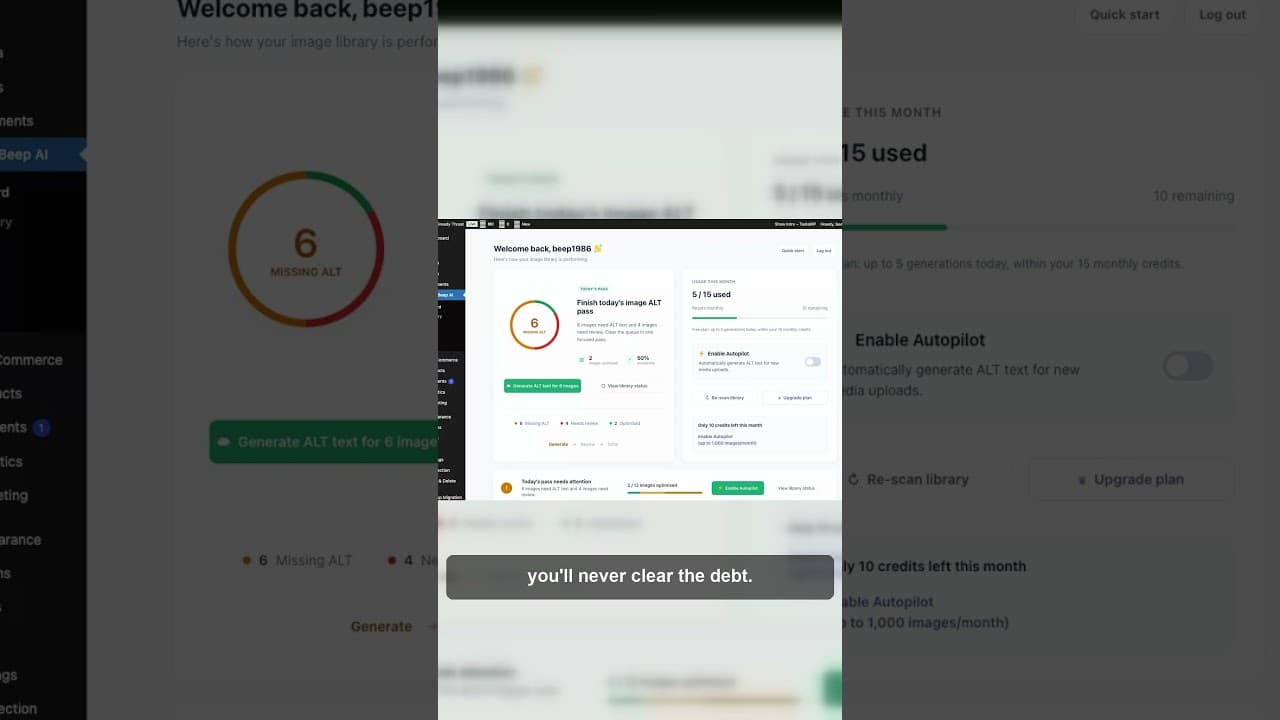
Stop Fixing Alt Text One Image at a Time
Opening every image to write alt text one by one never clears the backlog. Here's why a batch workflow finishes what one-by-one fixing doesn't.
Open the media library, click the first image with a blank alt field, type a description, save, click the next one. Repeat two hundred times. It feels productive — you're doing the work — but a one-by-one workflow almost never clears a real backlog, because new images arrive faster than one-at-a-time fixing can keep up.
Here's a short video on why the one-by-one approach stalls out and what a batch workflow does differently.
Why one-by-one feels like progress but isn't
Clicking through images one at a time gives you a real sense of motion — each save is a small win, and after an hour you can point to a number of images fixed. The problem is the maths underneath it. A typical WordPress site with a few years of content can easily hold several hundred images with missing or poor alt text. At a comfortable pace of one image every 30–60 seconds, clearing 300 images takes three to five hours of unbroken, repetitive clicking. Most people don't have five free hours for this in one sitting, so the work gets split across days or weeks — and during that time, new posts and product uploads keep adding images to the same pile.
The debt grows while you're paying it down. That's the core issue: one-by-one fixing is a rate of work, and if new images arrive at a similar or faster rate, the backlog never actually shrinks. It just moves.
What a batch workflow does differently
A batch workflow separates the work into two distinct phases instead of doing them one image at a time: scan first, then fix in groups.
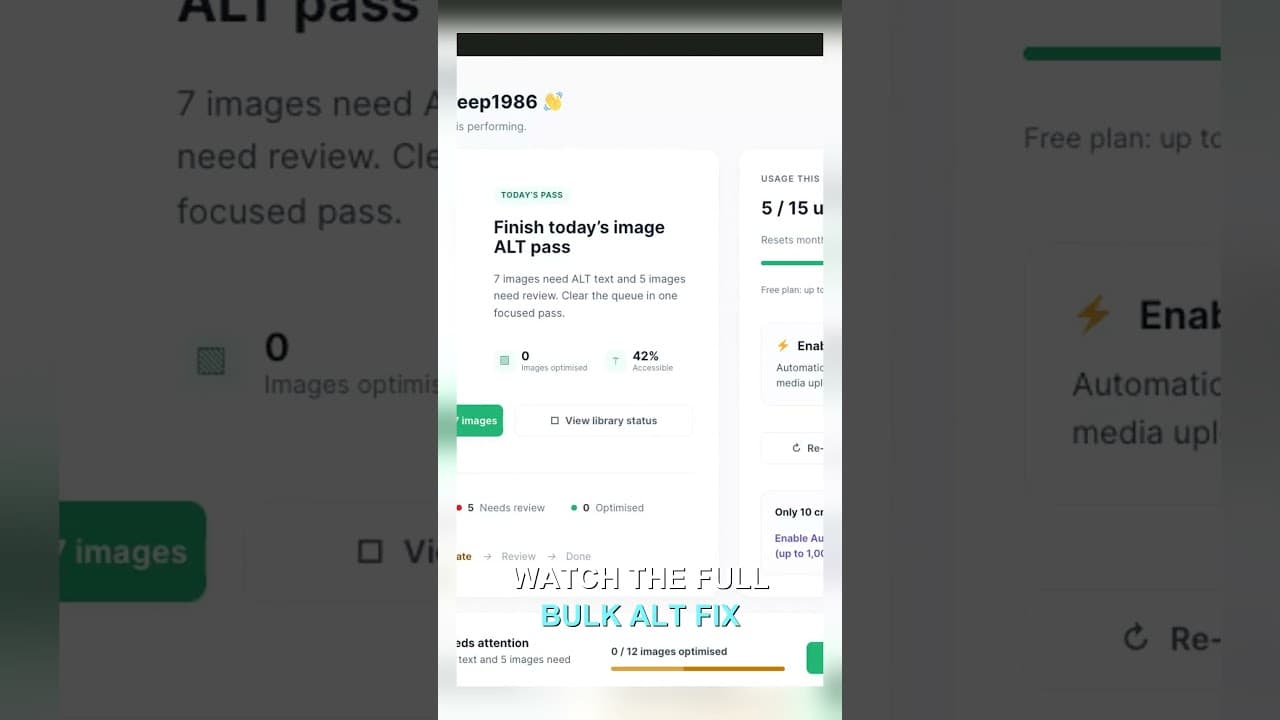
Scan first. Before writing a single description, get a full count of what's missing across the whole site — not page by page, but site-wide. This turns an abstract sense of "there's probably a lot to do" into a concrete number, which matters because you can't plan a batch process around a guess.
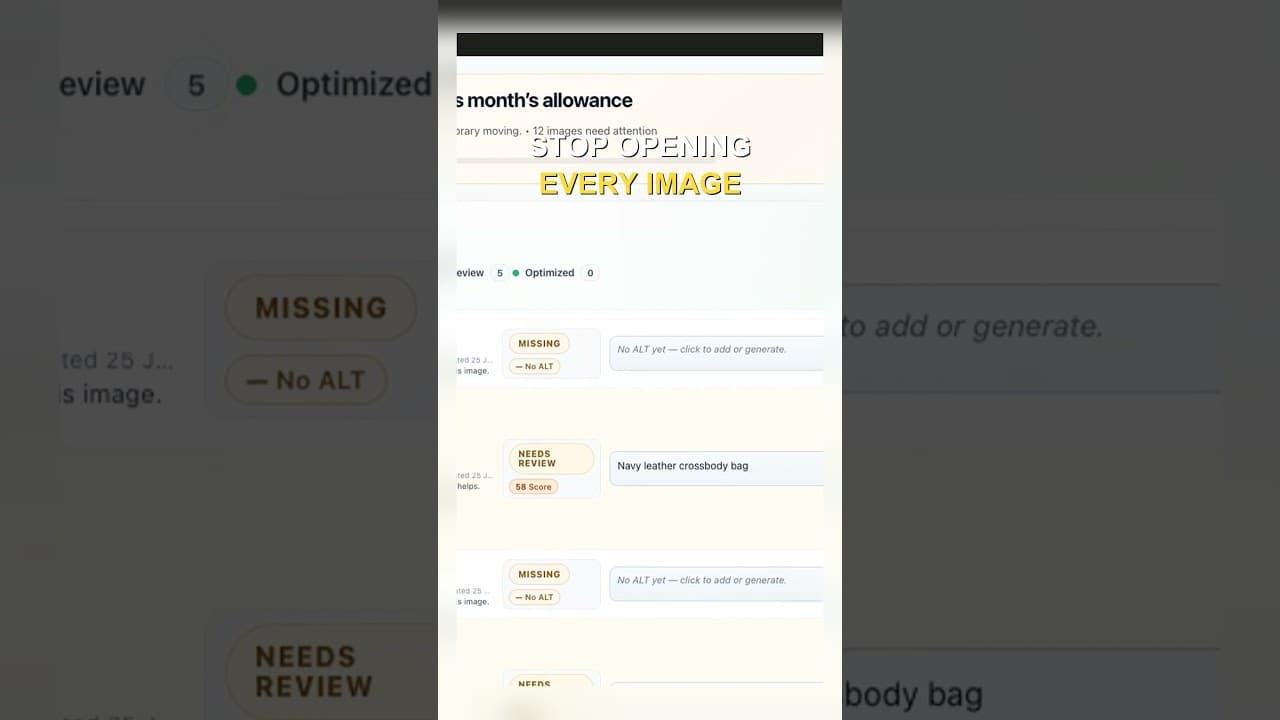
Fix in groups, not individually. Instead of opening one image, writing text, saving, and repeating, a batch approach lets you review and approve descriptions for many images in one continuous pass — generate a first draft for a group, glance over each one, adjust where needed, and save the whole batch at once. The mental overhead of "open, think, write, save" per image disappears; you're reviewing rather than composing from scratch each time.
A worked example: 40 images in one sitting
Here's the practical difference in a single session:
- Scan the media library and get a count — say, 40 images across the site with missing or empty alt text.
- Generate a first-pass description for all 40 rather than one. Whether that's AI-drafted or written from a quick template, the point is producing a batch of drafts to review, not composing each one from a blank field.
- Review the batch in one continuous pass. Scroll through the 40, checking each description against its image. Most will be fine as drafted; a handful will need a tweak.
- Edit only the ones that need it. You're not retyping every description — you're correcting the minority that are wrong or too generic.
- Save the batch. One action clears 40 images instead of 40 separate open-write-save cycles.
The same 40 images that would take 20–40 minutes of one-by-one work compress into a session that's mostly reviewing, not writing. That's the time saved — not from typing faster, but from cutting the repeated overhead of opening and closing each image individually.
Batch workflows also catch what one-by-one misses
There's a second benefit beyond speed: consistency. When you fix alt text one image at a time over several weeks, your standards drift. Descriptions written on a Monday in a hurry look different from ones written on a slower Friday — some too short, some too long, some missing the product name entirely.
Reviewing a batch side by side surfaces that inconsistency immediately. If three images in a row all describe products without naming the colour, that's a pattern you'd never notice fixing them individually across separate days, but it jumps out when they're in front of you together.
Making batch fixing an actual habit
A batch workflow only works if it happens on a schedule, otherwise the backlog reappears the same way it did before:
Pick a fixed cadence — weekly for an active site, monthly for a quieter one — and treat it like any other recurring maintenance task, not something you get to "when there's time." Scan first every time, even if you assume nothing's changed; new uploads add up faster than expected. And keep each session bounded — reviewing 40–60 images in one sitting is manageable; reviewing 300 in one go brings back the fatigue that made one-by-one fixing fail in the first place.
Frequently asked questions
How is a batch alt text workflow different from just working faster one image at a time?
Speed isn't the fix — structure is. One-by-one work repeats the full cycle (open, think, write, save) for every single image, and that per-image overhead is what makes it slow, not typing speed. A batch workflow separates scanning from fixing and lets you review many drafted descriptions in one continuous pass, cutting the repeated overhead rather than trying to do the same steps faster.
Won't reviewing AI-drafted alt text in a batch mean I miss mistakes?
Not if the review step is built in properly. A batch workflow doesn't mean accepting everything without looking — it means reviewing many drafts in one focused session instead of writing each one from scratch. You're still checking every description against its image; you're just spending that time reviewing instead of composing, which is faster and, done in one continuous pass, often more consistent than reviewing across many separate sessions.
How often should I run a batch alt text pass on my WordPress site?
It depends on how often you publish. A site adding new posts or products weekly benefits from a weekly scan-and-fix pass, so the backlog never grows past a manageable size. A quieter site might only need a monthly pass. The key is picking a cadence and sticking to it — an irregular schedule lets the backlog build back up to the point where a single session feels overwhelming again.
Try OpptiAI Alt Text to scan your WordPress media library and fix missing alt text in batches, or run a free image SEO audit to see how large your current backlog is.
Related Posts
Block Editor Alt Text vs Media Library: Why They Differ
WordPress stores alt text in more than one place. Here's why block editor and media library alt text can disagree, and where the real value lives.
Filter Your Media Library to Missing Alt Text First
Scrolling the whole media library to find missing alt text wastes most of your session. Filter to what's actually missing, then work that list.
Edit Alt Text Without Opening Every Image
Opening the attachment modal for every image before you can edit alt text is the slowest part of the job. Here's how to edit from the list instead.