Do WordPress Background Images Need Alt Text?
CSS background images in WordPress can't carry an alt attribute at all. Here's what that means for SEO and accessibility, and how to fix it properly.
You can't add alt text to a WordPress background image, no matter how hard you look for the field. That's not a bug in your theme or page builder — it's how CSS background images work. background-image: url(...) is a styling instruction, not content, and the alt attribute only exists on <img> tags. If you've been hunting through Elementor, Divi, or the block editor's cover block settings for an alt text box on a hero background and coming up empty, this is why.
That distinction matters more than it looks like at first glance, because a lot of sites use background images for things that are visually important — hero banners, section dividers, product category headers — and site owners assume alt text is missing by mistake rather than by design. Sorting out which images genuinely need alt text, which need a different accessibility treatment entirely, and which need nothing at all is the actual job here.
Why background images can't have alt text
An <img> element is part of the HTML document. Screen readers, search engine crawlers, and browsers with images disabled all parse the alt attribute directly from that tag. A CSS background-image is applied by the stylesheet after the HTML has already been parsed — it's a rendering detail, not a document element. There's no attribute to hang alt text off, because there's no <img> tag in the markup at all, just a <div> or <section> with a style rule pointing at a file.
This is a deliberate part of the CSS specification, not an oversight. Background images are meant for decoration: texture, colour, mood-setting. The spec assumes that if an image carries actual information — a product, a person, a chart, anything a user needs to understand the page — it belongs in the HTML as an <img>, where it can be described properly. A background image is, by definition, supposed to be something you could remove without losing content.
When that assumption breaks down
The trouble is that WordPress themes and page builders use background images for plenty of things that aren't purely decorative. A hero section with a background photo of a physical product, a services page with background images that are the only visual representation of what each service actually is, a WooCommerce category banner with the product range photographed in the background — these all carry information, but because they're implemented as CSS backgrounds, that information is invisible to screen readers and ignored by image search entirely.
If a background image is genuinely decorative — a subtle texture, a gradient overlay, an abstract pattern behind text — leaving it without alt text is correct, not a gap. Forcing alt text onto true decoration is where the "keyword-stuffed alt text" problem starts, and it doesn't help anyone: a screen reader user doesn't need "abstract blue gradient background" read out before every paragraph.
What to do when a background image carries real content
Three options, in order of how often you should reach for them:
- Move it into an
<img>tag. If the image is informative, the correct fix in almost every case is to stop using it as a CSS background at all. Most page builders (Elementor's image widget, the block editor's image block, WooCommerce's product gallery) render a proper<img>with alt text support. This also makes the image indexable by Google Images, which a CSS background never will be. - Add an
aria-labelor visually hidden text to the containing element. If the layout genuinely requires a CSS background — a full-bleed hero where an<img>would break the design — addaria-label="description of the image"to the wrapping<div>, or include visually hidden text (.screen-reader-textin WordPress core themes) inside it. This gives screen reader users the equivalent information without analtattribute, which the element can't have anyway. - Leave it alone if it's decorative. No aria-label, no hidden text, nothing. That's the correct accessible outcome for a texture or pattern background, and adding a description would be noise, not help.
A practical walkthrough: auditing your background images
- List every place your theme or page builder uses a background image. Check your homepage hero, any cover blocks in the block editor, page builder sections with a background image set instead of an inserted image, and WooCommerce category/shop banners — these are the most common spots.
- For each one, ask: if I removed this image, would the page lose information a sighted user relies on? If the answer is no — it's texture, colour, mood — leave it as a CSS background with no alt text. That's correct.
- If the answer is yes, check whether it can become a real
<img>. In page builders this is usually a toggle between "background image" and "image widget/block" for the same section. Swapping it in gets you native alt text support and image-search indexing for free. - If the layout can't support an
<img>there, add anaria-labelto the container<div>or<section>instead. Write it the way you'd write alt text: describe what's shown, skip "image of" or "background of". - Re-check with a screen reader or the browser's accessibility inspector (Chrome DevTools → Elements → Accessibility pane) to confirm the label is exposed the way you expect. A background image with no label will show as decorative/ignored, which is what you want for true decoration and a red flag for anything informative.
- Search Console and Image sitemap check. Background images never appear in your image sitemap or in Google Images results, so if you're relying on a hero background for image search traffic, step 3 — converting it to a real
<img>— is the only fix that actually changes that.
Frequently asked questions
Can I add alt text to a background image using a plugin?
Not in the way alt text normally works. Some accessibility plugins let you inject aria-label or role="img" onto the container element via a settings panel, which achieves the same practical outcome for screen reader users — but it's not populating an alt attribute, because there's no <img> tag for one to belong to. If a plugin claims to add "alt text" to a CSS background image, check what it's actually writing to the markup; it should be an aria-label on the wrapping element, not a phantom alt attribute that doesn't do anything.
Does a background image without alt text hurt my WordPress SEO?
Not directly, and not in the way a missing alt attribute on a real <img> does. Google's image indexing pipeline works from <img> tags and image sitemaps; a CSS background image is essentially invisible to it regardless of what you do. The SEO cost isn't a penalty for missing alt text — it's the missed opportunity of an image that could have driven Google Images traffic if it had been a real <img> instead. If the image is decorative, there's no cost either way.
How do I tell if my page builder is using a background image or a real image tag?
Right-click the image and choose "Inspect" (or open DevTools directly). If you see <img src="..."> in the markup, it's a real image and alt text applies normally — check the alt attribute value in that same inspector view. If instead you see a <div> or <section> with a style="background-image: url(...)" attribute, or a CSS class that references the image in a linked stylesheet, it's a background image and the aria-label approach applies instead. Most WordPress page builders default to background images for hero and section layouts because they're easier to control for cropping and overlay effects, so don't assume — check.
Getting this right across a handful of pages is a five-minute manual job. Getting it right across a WordPress site with dozens of templates, hero sections, and category banners is where it stops being realistic to check by hand — OpptiAI Alt Text scans your media library and flags missing or low-quality alt text on real <img> tags sitewide, so you can spend the manual review time on the trickier background-image cases that actually need a human judgement call. If you want a quick read on where your site stands first, the free image SEO audit is a good starting point.
Related Posts
Catch New Uploads Before Alt Text Debt Comes Back
Autopilot and cleanups still miss images. Here's the routine check that catches new uploads slipping through before missing alt text piles up again.
Set Up Autopilot Alt Text for New WordPress Uploads
Manually writing alt text for every new upload doesn't survive contact with a busy site. Here's how to configure autopilot rules that generate it for you.
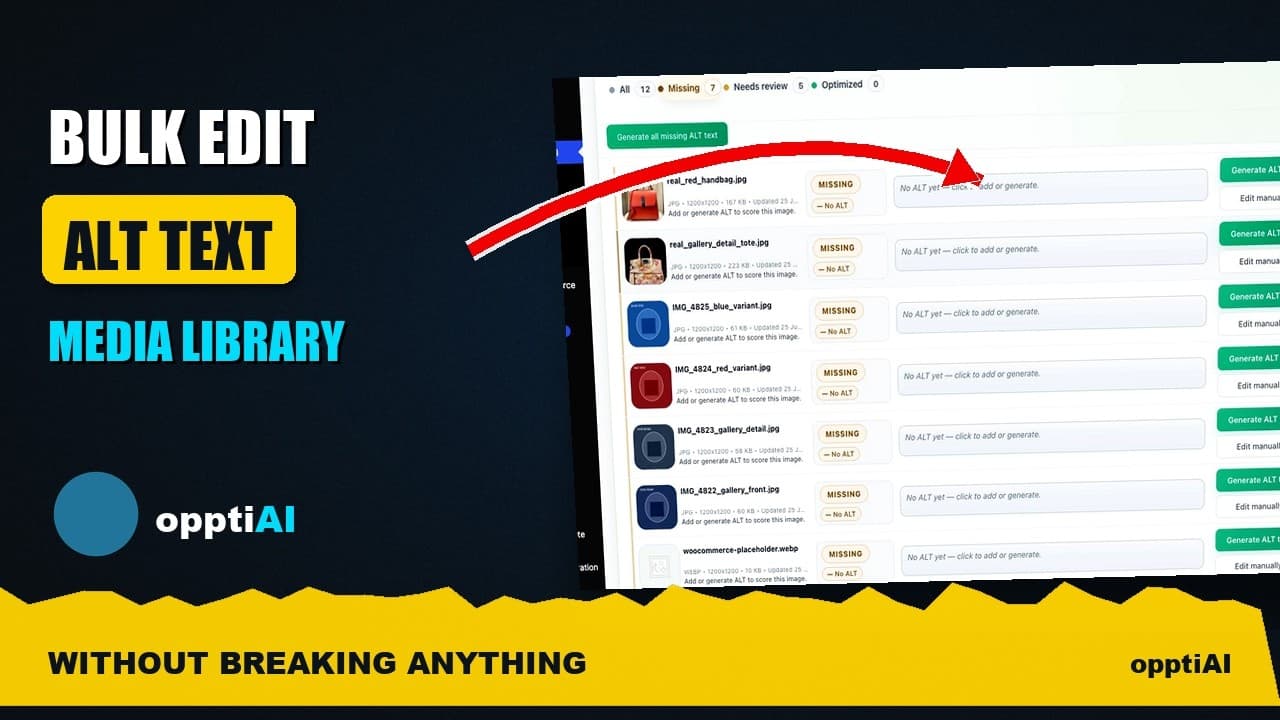
Bulk-Edit Alt Text From a Filtered List, Not the Media Library
Opening one attachment at a time to fix alt text doesn't scale. Here's how to bulk-edit from a filtered list instead, without breaking anything.