Free playbook · Updated July 2026
WooCommerce Image SEO Playbook
A practical guide for store owners: find missing product-image alt text, fix the SKUs that matter first, scale with review-before-save, and track coverage for 90 days. Not financial or legal advice — operational image SEO for catalogues.
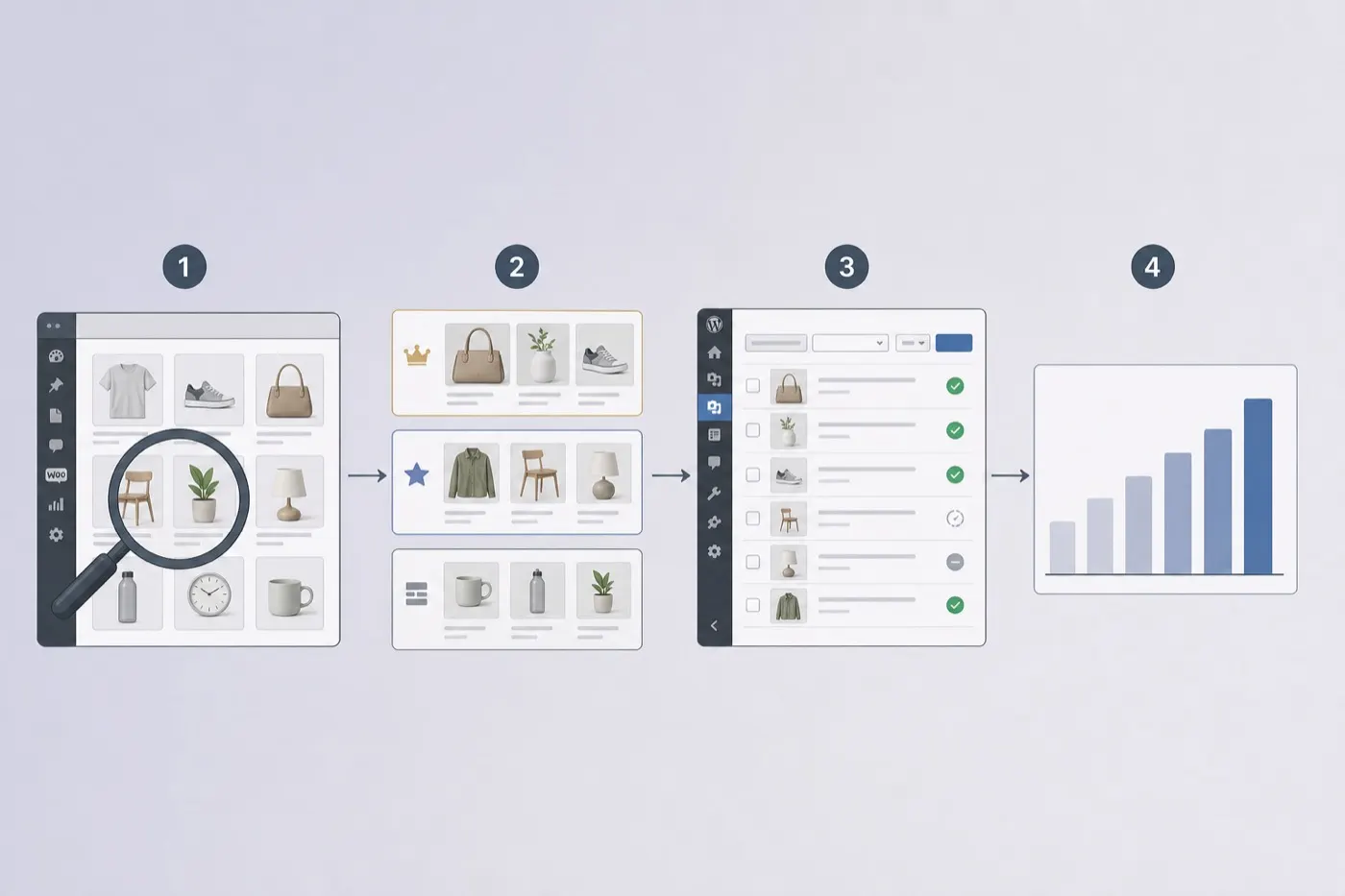
1. Why product image SEO matters
WooCommerce catalogues are image-first. Featured images and galleries show up in Google Images, shopping journeys, and assistive tech. Empty alt attributes mean search engines and screen readers have almost nothing to work with — while shoppers still see the photo.
Image SEO here is not a separate “hack.” It is accurate descriptions, sensible filenames, compressed assets, and coverage across the SKUs that actually sell. Pair it with your normal on-page SEO suite; do not expect Yoast or Rank Math alone to remediate a whole media library.
2. Run an honest image audit
Start outside your assumptions. Pick public product and category URLs and check what crawlers actually see.
- Use the free OpptiAI image SEO audit on 5–10 representative pages.
- Note empty alt, filename-as-alt, and decorative images that still need empty alt.
- Spot-check mobile: huge uncompressed gallery images hurt Core Web Vitals too.
3. Prioritise what to fix first
Do not try to perfect 10,000 SKUs on day one. Fix revenue and discovery surfaces first.
Tier A — money pages
- • Top-selling SKUs
- • Collection heroes
- • Homepage / campaign products
Tier B — discovery
- • Category bestsellers
- • New arrivals
- • High-impressions / low-CTR products
Tier C — long tail
- • Remaining catalogue
- • Variation images
- • Archived but still indexed SKUs
4. Alt text standards for products
Good product alt text describes what is visible: product type, distinguishing traits (colour, material, angle) when they appear in the image. Keep it concise.
Prefer
“Navy merino wool crew-neck jumper on a white background”
Avoid
“best jumper buy cheap wool jumper SEO keywords shop now”
Gallery images can be more specific (“side view”, “worn on model”) so they are not clones of the featured image. Decorative chrome in themes should use empty alt.
5. Bulk remediation workflow
Manual entry works for tiny catalogues. For real stores, use a WordPress-native workflow that scans the media library — including WooCommerce product and gallery images — generates suggestions, and lets you approve before save.
- Install OpptiAI Alt Text Generator from WordPress.org (listed as OpptiAI Alt Text).
- Scan for missing or weak alt on Tier A products first.
- Generate in batches; edit brand voice; save only what you approve.
- Repeat for galleries, then Tier B / C.
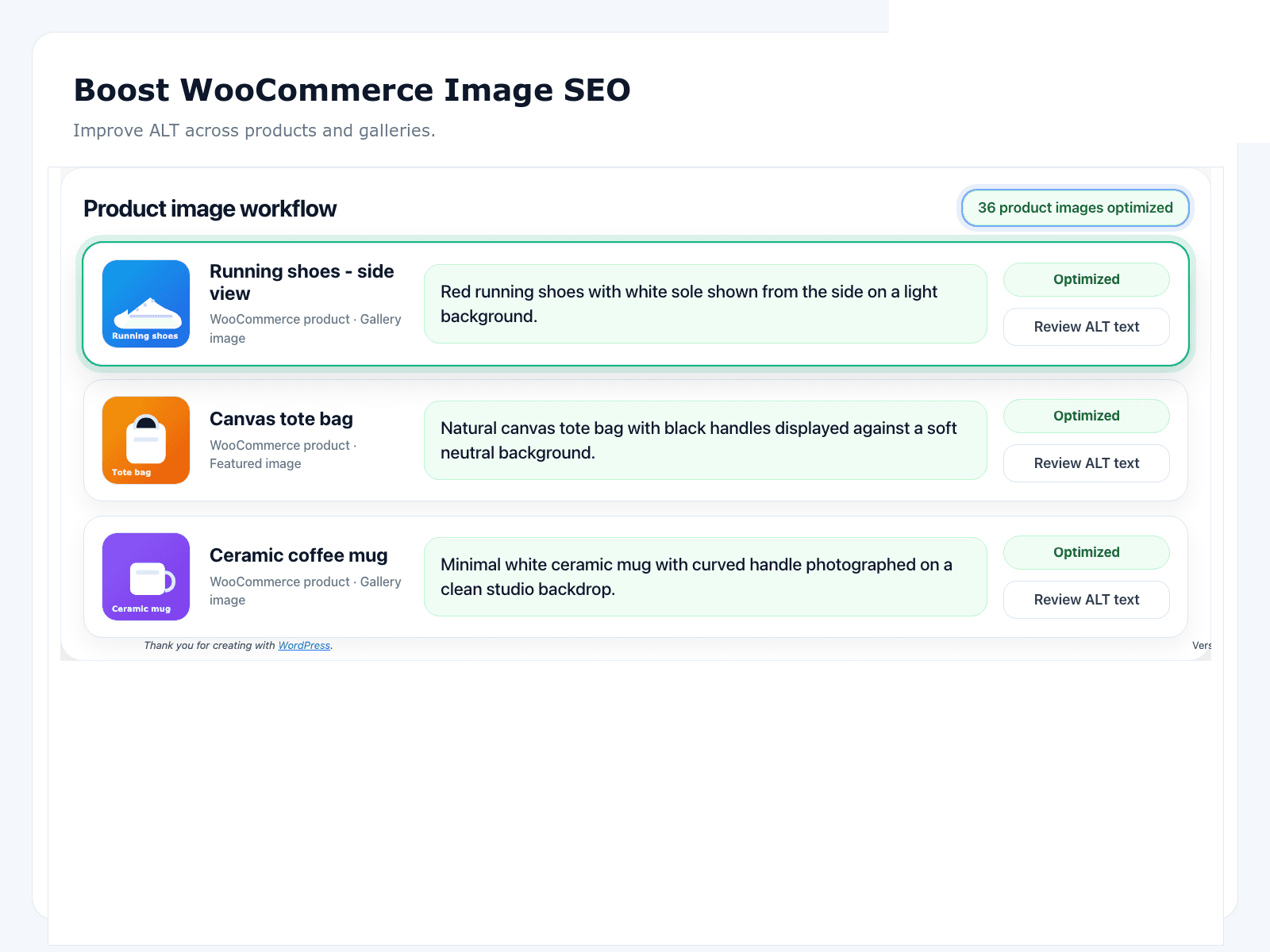
Paid plans start at £4.99/month/month when you outgrow the free tier — see pricing.
6. Measure coverage for 90 days
Pick one operational metric and stick to it: percentage of published products whose featured image has non-empty, human-reviewed alt text. Optionally track gallery coverage for Tier A only.
- Week 1–2: Tier A featured images to ≥95% coverage
- Week 3–6: Tier A galleries + Tier B featured
- Week 7–12: long-tail sweep; new-upload policy so gaps stop growing
7. One-page checklist
- Sample 5–10 public product URLs in the free image SEO audit
- Export or note SKUs with empty / weak alt on featured images
- Define alt style rules (length, brand names, colour/size only when visible)
- Fix Tier A featured images first; review every AI suggestion before save
- Extend to product galleries for the same SKUs
- Compress oversized uploads and prefer descriptive filenames on new uploads
- Re-check coverage weekly for 90 days; log % of products with featured alt
More store SEO resources
PDF is ready — download above. Leave your email for related WooCommerce image SEO updates.
FAQ
Is this playbook free?
Yes. The full HTML guide is free to read, and the PDF is free to download — no paywall on the core advice.
Do I need OpptiAI to follow this playbook?
No. You can remediate manually. OpptiAI Alt Text Generator is the fastest path for catalogues with hundreds of product and gallery images, because it supports bulk generation with review-before-save inside WordPress.
Should every product image get keyword-stuffed alt text?
No. Write accurate descriptions of what is shown. Include the product type or distinguishing detail when it helps shoppers and screen-reader users — not a list of target keywords.
How do I start in under an hour?
Run the free OpptiAI image SEO audit on a few public product URLs, install the Alt Text plugin, fix featured images on your top 20 SKUs first, then expand to galleries.
More reading: WooCommerce image SEO · WordPress image SEO hub · All resources