Auditing Titles and Meta Descriptions Before a Rebrand
A site migration or rebrand touches every title tag and meta description at once. Here's how to audit both before you launch, not after rankings drop.
A rebrand or site migration touches title tags and meta descriptions everywhere at once — every %sitename% placeholder resolves to something new the moment you flip the switch, and every hand-written title that mentioned the old name or the old URL structure is now wrong in a way a template can't fix automatically. Most teams plan the visual redesign in detail and treat the SEO metadata as something that'll "just carry over." It doesn't, cleanly.
The risk isn't that titles disappear. It's that they silently become wrong — still present, still indexed, just no longer accurate — and nobody notices until organic traffic dips a few weeks after launch and the cause takes another two weeks to trace back to metadata.
What actually breaks during a migration or rebrand
Brand name changes ripple through every templated title. If your title template is %title% | %sitename%, updating the site name setting fixes new pages instantly but does nothing for the potentially thousands of already-indexed titles Google has cached with the old name. Google will eventually recrawl and update, but "eventually" can mean weeks, and in the meantime your search results show a brand name that no longer matches your site — which reads as broken or outdated to anyone comparing the two.
Hand-written titles and descriptions don't update themselves. Any title or meta description you wrote manually rather than from a template — often your highest-traffic, highest-effort pages — can reference the old brand name, an old product name, or an old value proposition directly in the text. A template change never touches these. They stay wrong until someone finds and edits them individually.
URL structure changes break the assumption that a title still matches its content. If a rebrand comes with new URL slugs or a restructured taxonomy, pages that get merged, split, or redirected can end up with a mismatched title-to-content pairing — a redirect target inheriting the destination page's title even though the old page covered a narrower topic, for instance.
Meta descriptions that referenced specific offers, dates, or campaign names age out silently. These aren't rebrand-specific, but a migration is exactly when teams finally notice a meta description still promoting an offer that ended eight months ago, because they're looking at everything at once for the first time in a while.
Why "it'll recrawl eventually" isn't good enough
Google does eventually pick up template-driven changes as it recrawls, but recrawl timing isn't guaranteed or fast, and it's not uniform across your site — high-authority pages tend to get recrawled sooner than deep archive pages. During the gap, searchers see stale branding in results, which undermines the rebrand's whole point: a rebrand exists to change how people perceive you, and a search result still showing the old identity works against that at the exact moment people are most likely to be searching your name to see what changed.
There's also a category of problem recrawling never fixes on its own: hand-written text that's now factually wrong. Google will happily keep serving an accurate crawl of an inaccurate title forever, because from its side nothing looks broken — the title matches what's actually on the page. Only you know it's outdated.
A practical walkthrough: auditing before launch
- Export every current title and meta description sitewide, not just a sample. Most WordPress SEO plugins offer a CSV export of this data (Rank Math and AIOSEO both have one under their tools/import-export sections); if yours doesn't, a sitemap crawl with a tool like Screaming Frog gives you the same list from the live site.
- Search the export for the old brand name, old product names, and any offer- or date-specific language that a rebrand or migration would invalidate. Text search across a CSV is fast; this catches hand-written content a template audit would miss entirely.
- Separate templated titles from hand-written ones. Templated titles need one settings change plus a forced recrawl request; hand-written ones need individual edits. Knowing the split up front tells you how much manual work you're actually facing before you start.
- Check your homepage and top 20 traffic pages by hand, regardless of whether they're templated. These carry the most weight, and a single wrong or missed one here matters more than a hundred low-traffic archive pages.
- If URLs are changing, map old-to-new and confirm each destination's title actually fits what's now living at that URL — don't assume a redirect target's existing title is still accurate once it's absorbing traffic and link equity for a merged page's topic too.
- After launch, submit key changed URLs for reindexing (Google Search Console's URL inspection tool, one at a time, or an IndexNow ping if your plugin supports it) rather than waiting on the natural recrawl schedule for pages where stale branding would be most visible.
What to do with the backlog you find
Most sites doing this audit for the first time find more hand-written, now-inaccurate titles than expected — old feature names, discontinued product lines, a tagline that changed two rebrands ago and never got cleaned up. Treat the migration as the forcing function to fix that backlog properly rather than patching only what the rebrand directly touches, since you're already reviewing everything and won't have this level of attention on it again for a while.
Frequently asked questions
How long after a migration should I wait before checking if titles updated correctly?
Check immediately after launch for templated titles — those should reflect the new brand name in the page's rendered HTML the moment you save the settings change, so a same-day spot-check across a handful of page types confirms the template itself is correct. What takes longer is Google's index reflecting that change in live search results, which can take anywhere from a few days to several weeks depending on how often each page gets recrawled. Don't wait to fix a template error just because the index hasn't caught up yet; fix it as soon as you find it so the correct version is what eventually gets crawled.
Do I need to update meta descriptions that don't mention the brand name at all?
Not urgently, if the content is otherwise still accurate. A meta description describing a blog post's topic without referencing your old brand name or a since-changed URL structure doesn't need touching just because a migration is happening elsewhere on the site. The audit is about finding what actually became wrong, not rewriting everything on principle — a full rewrite of accurate copy just adds risk (you can accidentally make a working description worse) for no real benefit.
Should I redirect old title tags or just let them get overwritten?
Title tags aren't something you redirect — redirects apply to URLs, and the title at a URL simply becomes whatever's currently set for the page living there now. If a URL itself is changing (not just the title), set up a proper 301 redirect from the old URL to the new one, and make sure the new URL's title accurately describes what's now there, especially if it's absorbing content from more than one old page. The title will update the moment someone (or something) requests that URL; there's no separate title-migration step beyond getting the underlying page's title right.
Auditing titles and meta descriptions sitewide by hand, especially during a migration when everything's in flux, is easy to under-scope until you're deep into a spreadsheet. OpptiAI Titles scans your WordPress site for missing, weak, and duplicate titles and meta descriptions, flags the ones that look stale or inaccurate, and saves fixes straight away. You can edit or undo them. It runs alongside Yoast, Rank Math, or AIOSEO rather than replacing them.
Related Posts
How Long Google Takes to Update Changed Title Tags
You changed a title tag and Google still shows the old one. Here's the real timeline for a change to show up, and how to speed it up.
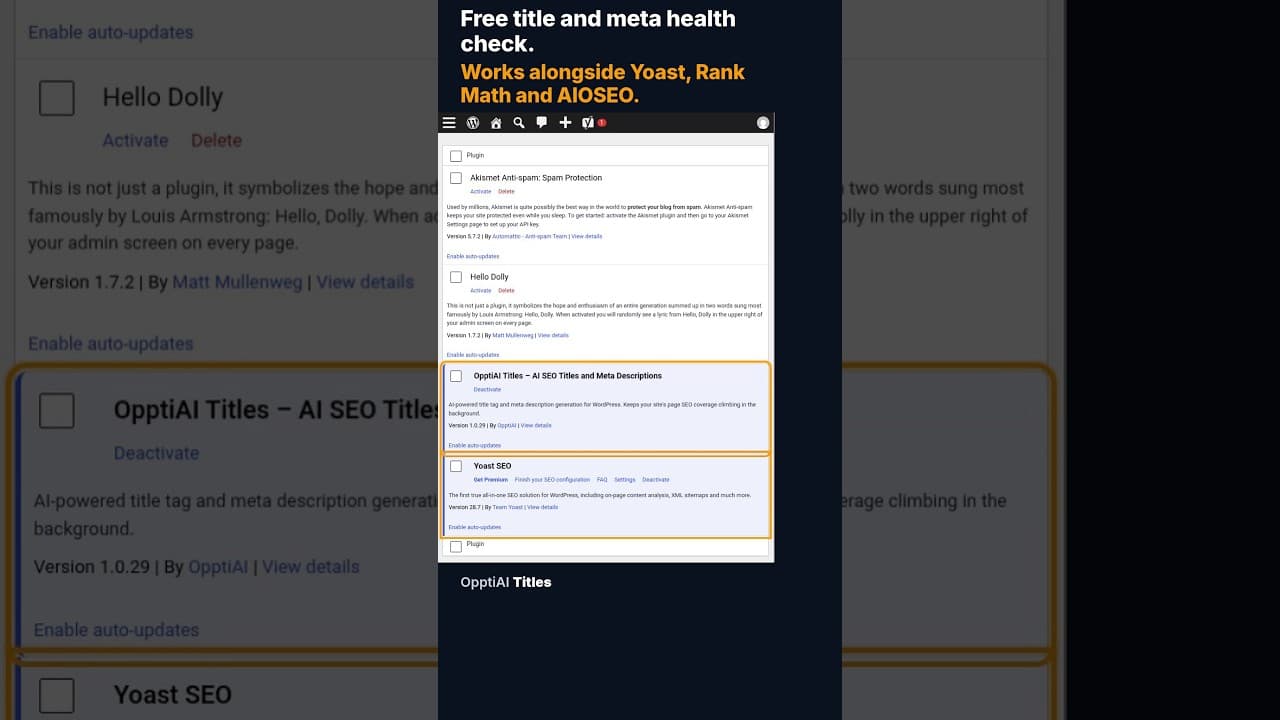
A Free WordPress Title and Meta Description Health Check
A free health check scans every WordPress page for missing or weak titles and meta descriptions and gives you a score. No account needed to see the result.
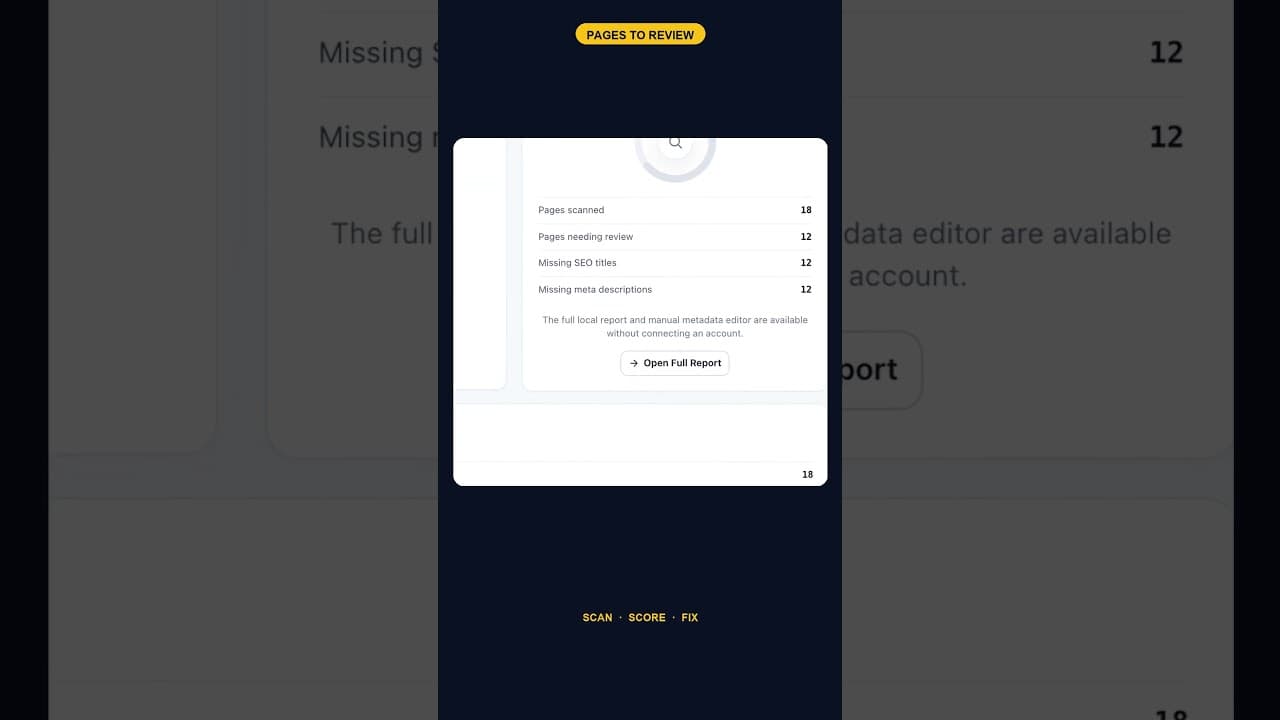
When 12 of 18 WordPress Pages Are Missing Titles and Meta Descriptions
An SEO scan finding 12 of 18 pages missing both a title tag and a meta description is one structural gap, not twelve separate oversights. Here's how to read it.