How to Find Duplicate Title Tags on a WordPress Site
Two pages sharing one title tag splits ranking signal between them instead of helping either. Here's how to find every duplicate on a WordPress site.
Two pages on the same WordPress site sharing a title tag is more common than it should be, and it's rarely deliberate. It splits ranking signal between the pages instead of strengthening either one — Google has to guess which page you actually want to rank for that query, and a shared title tag gives it no reason to prefer one over the other.
Duplicate titles creep in from places that don't feel like a decision at all: a theme's default template falling back to the site name for every archive page, a plugin generating the same fallback string for every empty field, or a page cloned as a starting point and never renamed. None of it looks wrong in the WordPress editor, because the title field is usually fine — it's the rendered <title> tag that ends up identical.
Where duplicates actually come from
Archive and taxonomy pages are the most common source. If your theme doesn't set a distinct title template for categories, tags, and author archives, several of them can render the exact same fallback title — often just the site name, or "Blog" repeated across every one.
Paginated pages are next. /blog/, /blog/page/2/, /blog/page/3/ frequently carry the identical title with no page-number distinction, because most themes don't append "– Page 2" unless a plugin specifically handles it.
Cloned pages and templates. A page duplicated as a starting point for a new landing page keeps the original's title until someone remembers to change it — easy to miss on a page that isn't linked from the main menu yet.
Plugin-generated pages. WooCommerce shop, cart, and checkout pages, or search results pages, sometimes fall back to a generic title from the plugin itself rather than something the theme or an SEO plugin sets explicitly.
Multisite or staging remnants. Content migrated from a staging subdomain or duplicated for an A/B test can leave two live URLs with identical title tags long after the test ended.
Why "just write different titles" undersells the fix
Finding one duplicate is easy — you'll trip over it eventually. Finding all of them means checking every published URL, not just the ones you remember creating. A site with a few hundred posts and a handful of taxonomies can easily have dozens of title collisions hiding in archives and pagination that nobody looks at directly, because nobody visits /category/uncategorised/page/4/ on purpose.
Auditing a site for duplicate title tags
- Export a full URL list — your XML sitemap is the fastest source; most SEO plugins generate one at
/sitemap.xmlor/sitemap_index.xmlcovering posts, pages, and taxonomy archives. - Pull the rendered
<title>for each URL, not the WordPress "Title" field in the editor — SEO plugins and theme templates can override what actually renders, so the field and the output can differ. - Sort and group by exact title text. Any group with more than one URL is a duplicate — the interesting cases are groups of three or more, which usually point to a template-level cause rather than a one-off.
- Separate genuine near-duplicates from template artefacts. Two similar product names sharing a template is a different fix (write both titles properly) from twenty archive pages sharing a fallback (fix the template default once).
- Prioritise by traffic or impressions, not alphabetically — a duplicate on a page that gets zero search traffic matters far less than one on a page competing for real queries. Google Search Console's Performance report, filtered by page, tells you which duplicates are actually costing you something.
- Fix the template-level cases first. One theme or plugin setting fixed once resolves every archive page it affects, which is a better return than rewriting individual page titles one at a time.
Duplicate titles on WooCommerce sites specifically
WooCommerce stores get their own variant of this problem, on top of the general WordPress causes above. Product variations are the biggest one: a T-shirt in five colours, imported as five separate simple products rather than one variable product, often keeps the same base title across every colour — "Cotton T-Shirt" repeated five times with nothing distinguishing red from blue in the title tag itself, even though the description or attributes differ.
Bulk CSV imports compound this. A product feed imported from a supplier or a legacy platform frequently carries the supplier's generic naming — "Product 4471" or a bare SKU — straight into the title field, and if several rows share a template default, you get identical titles across dozens of SKUs in one import pass rather than one at a time.
Category and shop-page templates cause the same fallback issue WordPress archives do, but WooCommerce adds its own set: the shop page, and any custom product category landing pages, can inherit a generic "Shop" or site-name title if the templates were never customised when the store was set up.
Using Search Console to confirm the impact, not just find the list
A sitemap audit tells you where duplicates exist; Search Console tells you whether they're actually costing you anything. Open the Performance report, add a filter for the specific page, and check whether Google is showing that URL for queries you'd expect a distinct page to rank for. If a duplicate-titled page has meaningful impressions and a competing page for the same topic has none, that's the pair worth fixing first — you can see the ranking signal being split in the data rather than guessing at it.
It's also worth checking the "Pages" report under Indexing for any pages Google has marked as a duplicate without a user-selected canonical. That report is a shortlist Google has effectively already generated for you of pages it considers indistinguishable from another — often a faster starting point than sorting a full sitemap export by hand.
What a good fix looks like
A distinct, specific title per URL — not just different from its duplicate, but actually descriptive of that page's content. "Blog – Page 2" is a legitimate fix for pagination; two completely different product pages both titled with the site name need real, specific titles reflecting what's actually on each one. The goal isn't uniqueness for its own sake, it's giving Google (and the person scanning search results) a genuine reason to click the right page for their query.
Frequently asked questions
Does Google penalise a WordPress site for duplicate title tags?
Not as a manual penalty, but the practical effect is similar. When two pages share a title, Google has to pick one to show for a given query and may treat the other as a near-duplicate, sometimes filtering it from results entirely or ranking it far lower. You're not fined for it — you're just competing against your own page for the same ranking position, which nobody wins.
Why do WordPress category and tag pages so often share the same title?
Most themes generate archive titles from a template that falls back to something generic — usually the site name, or a bare label like "Category" — when no custom title has been explicitly set for that taxonomy term. Since almost nobody edits individual category or tag titles by hand, every archive using the same fallback template ends up with an identical rendered title, even though each one lists genuinely different content.
How many duplicate title tags is normal on a WordPress site?
There's no fixed number, but a healthy site should have close to zero duplicates on pages that receive any organic traffic. A handful of duplicates on obscure paginated archives with no search visibility isn't worth chasing immediately; duplicates on your main product, service, or landing pages are worth fixing straight away, since those are the URLs actually competing for rankings against each other.
Running a full title tag audit by hand across every archive, paginated page, and cloned template is the kind of task that's easy to start and hard to finish thoroughly. OpptiAI Titles scans a WordPress site for missing and duplicate titles and meta descriptions, then drafts specific replacements you review before applying — built to run alongside Yoast, Rank Math, or AIOSEO rather than replace them.
Related Posts
Use Search Console CTR Data to Fix the Right Titles First
Rewriting every title tag wastes effort. Search Console's CTR data shows exactly which ones are losing you clicks, so you fix those first.
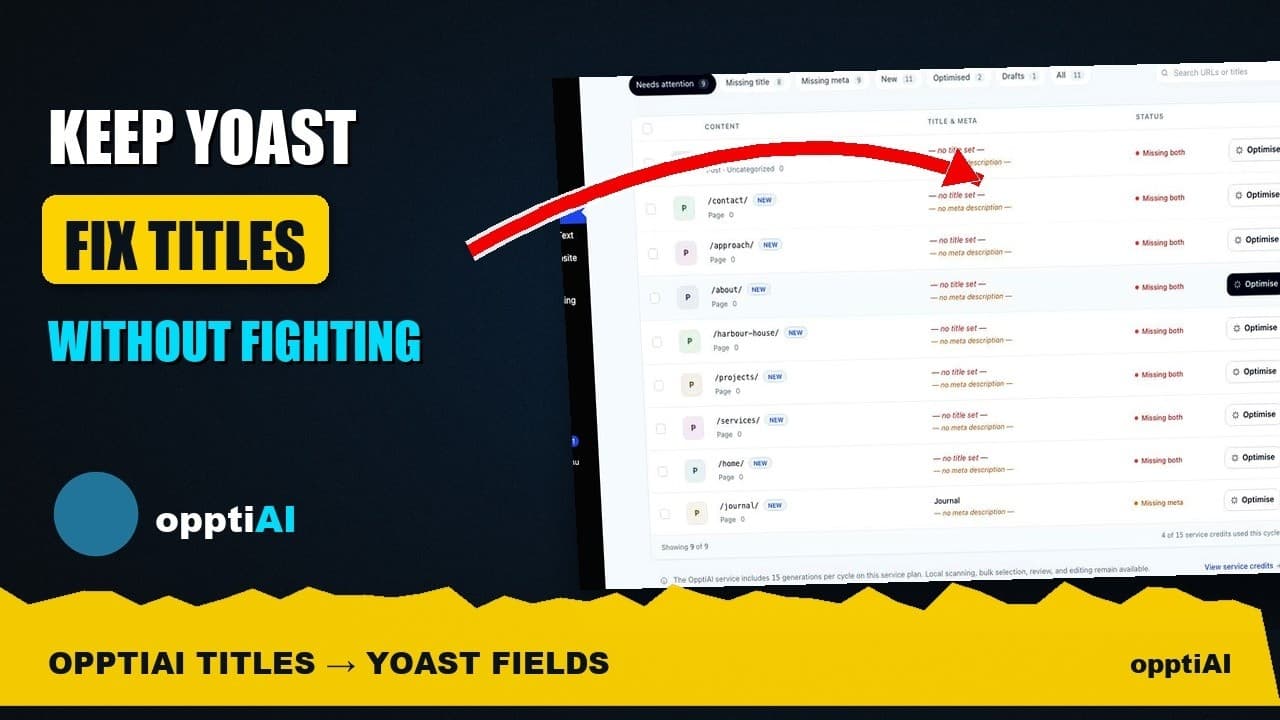
See Your WordPress Title Fixes Show Up Inside Yoast
Fixed a weak title in an audit tool but not sure Yoast picked it up? Here's exactly where to check, and what it means if the two disagree.
How to Write Meta Descriptions That Improve CTR
A meta description under the limit can still fail to earn clicks. What actually moves click-through rate once the length problem is solved.