What Causes Orphan Pages on an Established WordPress Site
Orphan pages aren't only a new-site problem. Here's why sites with years of content keep producing them, and how a one-scan audit finds the ones you have.
A page with zero internal links pointing to it is easy to dismiss on a brand new site, there's nothing to link from yet. It's a different story on a site with years of content, a working navigation, and a decent amount of traffic, where a scan can still turn up a surprising number of pages nobody links to. Here's where those orphan pages actually come from, and how to find the ones sitting on your own site right now.
What an orphan page actually is
An orphan page is a published post or page that no other post or page on the site links to. It isn't necessarily hidden, it can still be in the sitemap, indexed, and reachable by a direct URL. What it's missing is any path a visitor or a search engine would follow by browsing the site itself. That distinction matters: an orphan page can still get some traffic from search or from an old external link, but it gets none of the internal signal that comes from being referenced by related content, and it's effectively invisible to anyone navigating the site rather than arriving from outside it.
Why established sites still accumulate them
A two-page site with zero internal links is just a site that hasn't started linking yet. A site with hundreds of pages that still has orphans almost always got there through one of a few repeatable patterns:
- Navigation redesigns. A menu or footer gets rebuilt to feature newer content, and older pages that were only ever linked from that menu lose their last remaining inbound link, without anyone touching the page itself.
- Retired campaigns and landing pages. A page built for a launch, a seasonal promotion, or a specific ad campaign gets linked heavily for a few weeks, then every link to it gets removed once the campaign ends, while the page stays published.
- Content restructuring. Pillar pages get rewritten or merged, and the supporting pages they used to link out to are quietly dropped from the new version without a replacement link going in anywhere else.
- Pages written to stand alone. Some content, an old press mention, a one-off FAQ, a legal page, gets published without ever being referenced from a blog post or category page, because nobody planned for it to need one.
- Pagination and category changes. Older posts fall off the first few pages of a paginated archive, and if nothing else links to them directly, they drop out of the paths most visitors and crawlers actually follow.
None of these require anyone to make a mistake. They're the normal result of a site changing over time, which is exactly why orphan pages creep back in even on sites that got cleaned up once already.
Why a scan beats checking manually
Clicking through your own site to look for unlinked pages has an obvious blind spot: you're navigating from pages you already know have links, so you'll only ever confirm that those pages connect somewhere. A page with no links in or out never surfaces that way, because nothing leads you to it. An internal linking audit avoids that by reading the site's actual published content directly rather than retracing the paths a visitor would take, so it can report every page's inbound and outbound link count regardless of whether anything currently points a human toward it.
Running the scan and reading the results
A useful orphan page scan doesn't need an account or credits to tell you where you stand. It should return, for every page on the site:
- Whether any other page links in to it. This is the orphan check itself.
- Whether it links out to anything else, since a page that links nowhere is contributing nothing to the site's link structure even if other pages reference it.
- The anchor text used on existing internal links, so you can see whether pages are already connected with descriptive text or just generic phrases like "click here".
Run the scan, then sort the orphan list by how much standalone value each page has. A detailed guide or a cornerstone piece of content that turned up orphaned is worth fixing immediately; a thin, outdated landing page from a campaign that ended two years ago might be better off redirected or removed than linked to.
Fixing orphan pages once you've found them
The fix itself doesn't need automation, and it shouldn't be automated without review, since only someone familiar with the content can judge whether a link actually makes sense in context:
- For each orphan page worth keeping, find one or two existing pages where a reference to it would read naturally, not pages picked just because they rank for a similar keyword.
- Add the link with descriptive anchor text that describes the destination, not a bare "here" or "read more".
- If the orphan page is outdated and not worth a link, consider updating it, merging it into a related page, or redirecting and removing it instead of linking to content that no longer deserves traffic.
- Re-run the scan afterward to confirm the page actually shows an inbound link now, rather than assuming the edit took effect.
Frequently asked questions
Does an orphan page still show up in Google search results?
It can. Being indexed and being linked internally are separate things, a page found through its sitemap or an old external link can still appear in search results, even with zero links from other pages on the site. What it misses out on is the internal signal and discoverability that comes from being referenced by related content, which can affect how much weight it carries and how easily visitors find it once they land somewhere else on the site.
How often should I re-run an orphan page scan?
There's no fixed schedule, but it's worth running after any significant change to navigation, a content restructure, or a batch of new publishing, since those are exactly the events that create new orphans. A quarterly check catches most of what accumulates on a typical site without turning it into a constant chore.
Is every page with few internal links actually a problem?
No. A page can have one or two solid, relevant inbound links and be perfectly fine, the issue is specifically zero links, not a low number. Forcing extra links onto a page that already has a reasonable, relevant one just to hit a target number usually does more harm to readability than good for discoverability.
Finding the orphan pages on your own site
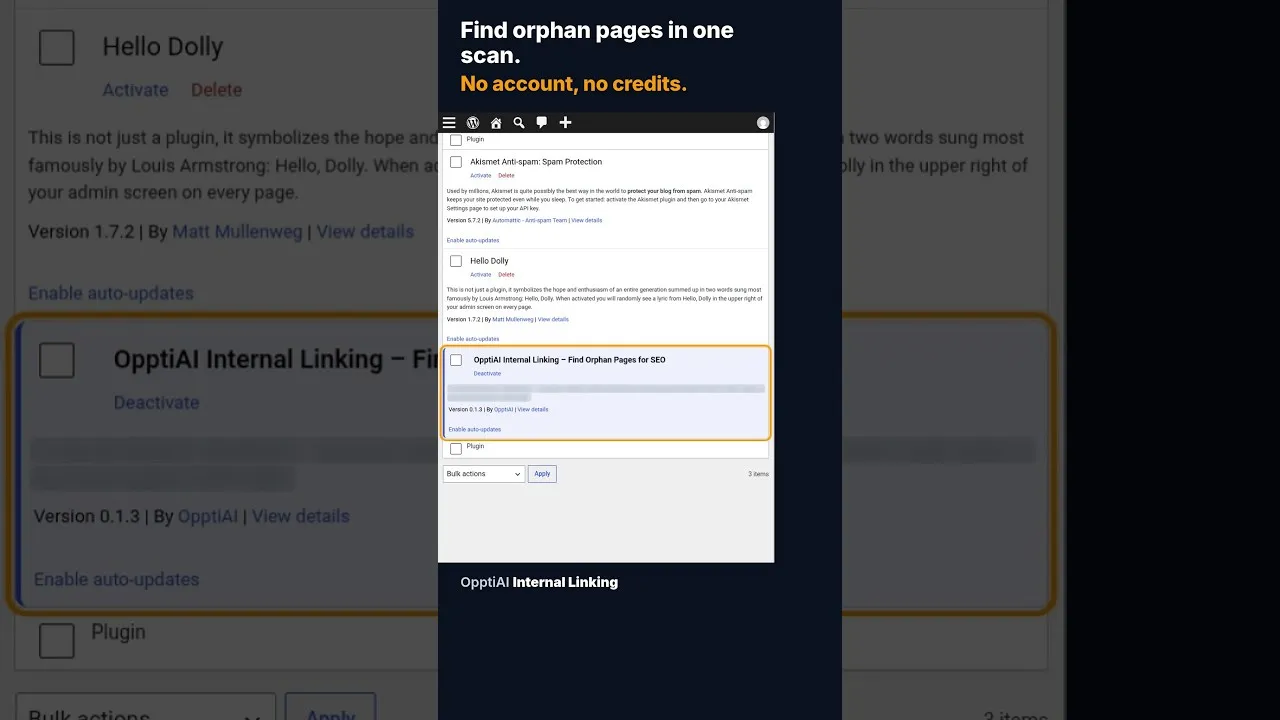
OpptiAI Internal Linking runs this scan inside WordPress directly, no account needed to see your results: every page gets an inbound and outbound link count, and orphan pages are listed by name so you know exactly where to start. See how it works.
Related Posts
Does OpptiAI Titles Conflict With Rank Math?
Rank Math stores title and meta description in its own fields. Here's exactly how OpptiAI Titles reads and writes around them without a conflict.
Internal link anchor text in WordPress: what to write and what to avoid
Anchor text tells readers and search engines what the linked page is about. Practical rules for internal link anchors in WordPress, with examples of what to write and what to stop using.
Duplicate title tags in WordPress: how to find them
Duplicate SEO titles make pages compete and get rewritten by Google. Where duplicates come from in WordPress, how to find them, and how to fix them with Yoast, Rank Math or AIOSEO.