Find Missing Title Tags Across Your WordPress Site
Missing title tags are easy to miss one page at a time. Here's how to find every one across a WordPress site, and why they slip through in the first place.
A page with no title tag shows up in Google search results with a title Google wrote for you — usually the H1, sometimes a chunk of the first paragraph, occasionally something that doesn't read like a title at all. It happens more often than most WordPress site owners think, because a missing title tag doesn't break anything visible. The page renders fine, the browser tab just shows the site name or the raw slug, and nobody notices until they search for their own page and see Google's substitute sitting in the results instead of the title they meant to write.
This is different from a weak title — a title tag that exists but is generic or duplicated. A missing one means the field is genuinely blank: no meta title was ever set for that page, post, or archive, so there's nothing for Google to prefer over its own guess. Finding every instance of that across a site with hundreds of URLs isn't something you can do by clicking through pages one at a time.
Why title tags go missing on WordPress in the first place
A handful of common causes account for most of it:
Auto-generated archive pages. Category, tag, and author archives don't have an edit screen where you'd naturally set a title — WordPress generates them from the taxonomy name unless your SEO plugin or theme explicitly sets one. If nothing does, some templates render no <title> tag at all rather than falling back to the category name.
Bulk-imported content. Products imported via CSV, posts migrated from another platform, or pages created through a page builder's template library often skip whatever field your SEO plugin uses for the custom title, because the import path didn't map to it. The content is there; the title metadata isn't.
Custom post types without SEO plugin support. A custom post type registered by a theme or a plugin — team members, testimonials, portfolio items — doesn't automatically get a title field just because Yoast or Rank Math is active. If the plugin wasn't configured to support that post type, every entry in it can be missing a title tag by default.
New pages published before the title was set. The classic case: someone publishes a draft to unblock a design review, meaning to add the SEO title before it goes live, and then it goes live anyway because nobody circled back.
Why this is hard to catch by browsing the site
Visually, nothing looks wrong. The page has an H1, it has content, the browser tab and search results are the only places the gap shows up — and checking either of those means opening every single URL individually, which isn't realistic past a few dozen pages. Search Console's Pages report will show you which URLs are indexed, but it won't flag "this one has no title tag" as a distinct issue; you'd need to cross-reference indexed URLs against a crawl of your title tags to spot the gap, which is exactly the kind of manual cross-referencing nobody has time for on a regular basis.
A practical walkthrough: auditing your site for missing title tags
- Run a crawl of your site. A crawler (Screaming Frog's free tier handles up to 500 URLs, or your SEO plugin's own site audit if it has one) will list every URL alongside its title tag. Export it.
- Filter for blank title cells. Sort or filter the export by the title tag column and look for empty values — not short ones, not duplicates, genuinely blank. That's your missing-title list.
- Cross-check against your CMS. For each blank result, open it in WordPress and check whether it's a post/page with no SEO title set, or an archive page (category, tag, author, custom post type) that never had one to begin with. The fix differs: posts and pages need a title written directly; archives usually need a template-level default set once in your SEO plugin's settings, which then applies sitewide.
- Prioritise by traffic and indexing status, not just by URL count. A blank title on a page already ranking for something is more urgent than one on an unpublished or noindexed page — check Search Console's Pages report for which of your blank-title URLs are actually indexed and getting impressions before you decide where to start.
- Set archive-level defaults first. If several archive pages share the same gap, fixing the template default in one place (most SEO plugins have a per-post-type/per-taxonomy title template setting) closes that gap for every current and future page of that type in one change, rather than one at a time.
- Re-crawl after fixing the batch to confirm the blank cells are gone, and check back in Search Console a few weeks later to see whether the newly-titled pages pick up impressions with the title you actually wrote instead of Google's substitute.
Frequently asked questions
How do I know if Google is using a title I didn't write?
Search for the exact URL using site:yourdomain.com/your-page-url and look at the blue title text in the result. If it doesn't match what you'd expect your title tag to say — or reads like a sentence pulled from the page body rather than a deliberate headline — Google has likely substituted its own title, which happens both when a title tag is missing and, separately, when Google judges an existing title to be a poor match for the query. Checking your page's actual <title> tag via "View Page Source" or your browser tab is the way to confirm whether the tag itself is blank versus present-but-overridden.
Will WordPress or my SEO plugin warn me if a title tag is missing?
Not by default, and not reliably. Yoast and Rank Math both show an on-page SEO score while you're editing a specific post, which will flag a missing title for that one page if you're looking at it — but neither surfaces a sitewide list of every URL missing a title without running their full site audit feature (where available) or exporting and checking manually. Custom post types and archive pages are the most likely to slip through unnoticed, since they're not edited through the same per-post screen that shows the SEO score prompt.
Do archive pages (category, tag, author) need individual title tags, or just a template default?
A template default, in almost every case. Setting a title pattern once — for example "%%term_title%% Archives - %%sitename%%" for category pages in your SEO plugin's taxonomy settings — applies to every category page automatically, current and future, which is both faster and more consistent than trying to write a bespoke title for each one. Individual overrides only make sense for a small number of high-traffic archive pages where the generic template genuinely undersells what's there — a flagship category page might warrant a hand-written title distinct from the rest.
Running a full crawl and manually cross-checking title tags is a reasonable one-off audit, but sites that add pages, products, or categories regularly need this checked on an ongoing basis, not just once. OpptiAI Titles scans your WordPress site for missing and weak title tags and meta descriptions, drafts suggestions for you to review, and works alongside whichever SEO plugin you're already running rather than replacing it.
Related Posts
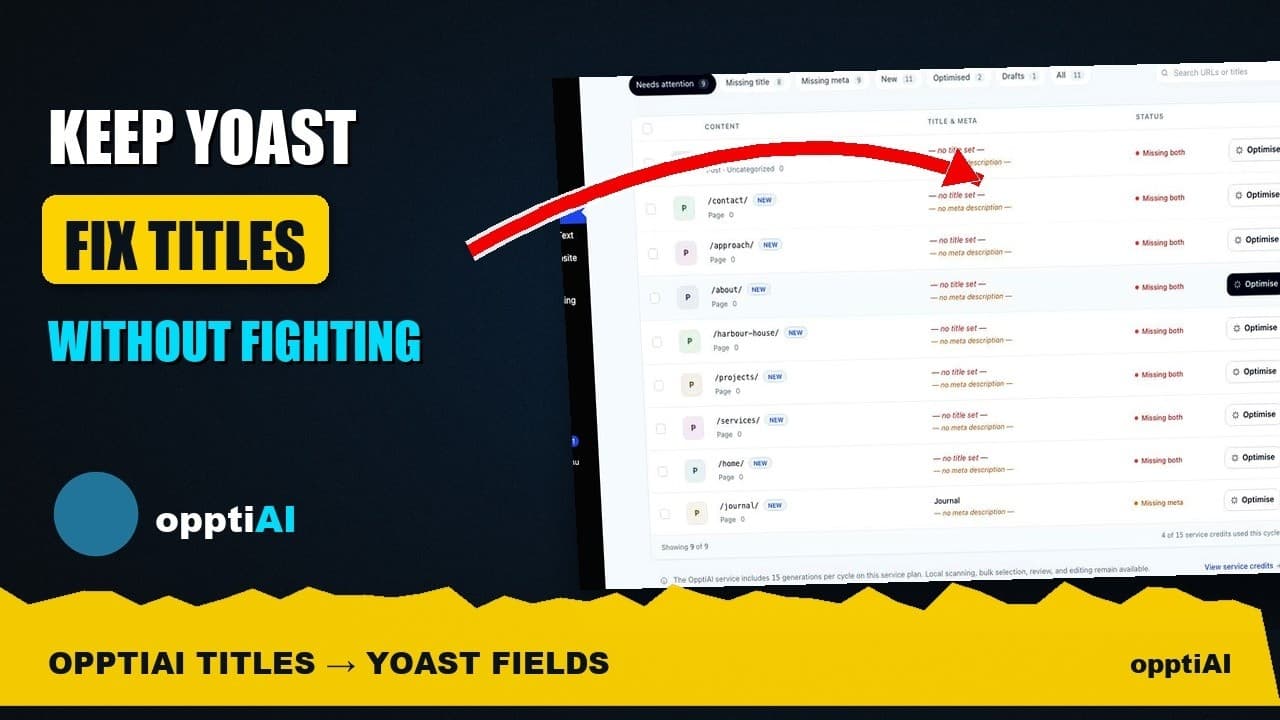
See Your WordPress Title Fixes Show Up Inside Yoast
Fixed a weak title in an audit tool but not sure Yoast picked it up? Here's exactly where to check, and what it means if the two disagree.
How to Write Meta Descriptions That Improve CTR
A meta description under the limit can still fail to earn clicks. What actually moves click-through rate once the length problem is solved.

Auditing Titles and Meta Descriptions Before a Rebrand
A site migration or rebrand touches every title tag and meta description at once. Here's how to audit both before you launch, not after rankings drop.