Why WooCommerce stores need a dedicated alt text plugin
WooCommerce product pages are image-heavy by design. Shoppers swipe galleries, compare colourways, and zoom detail shots — while screen readers and crawlers depend on alt attributes in the HTML. The product editor lets you set alt per image, but nobody does that consistently across five thousand SKUs imported from a supplier feed.
Generic SEO suites (Yoast, Rank Math, AIOSEO, SEOPress) excel at titles, meta, and schema. They may nudge you in the product screen, but they rarely offer a Media Library queue that scans missing alt, generates drafts in bulk, and waits for approval. That gap is why “best WooCommerce alt text plugin” is a separate search from “best WooCommerce SEO plugin.”
Image compressors solve weight, not description. Alt plugins solve description, not Core Web Vitals. Stores need both, plus the SEO suite — three jobs, three tools.
Agency-built stores often ship with perfect Lighthouse scores and empty gallery alt. The theme demo looked fine; the catalogue import never mapped alt columns. A dedicated plugin is how operators close that gap after launch without reopening the whole build.
Best WooCommerce alt text plugins: comparison table
Use this table to shortlist, then confirm in live demos. Features change; pricing tiers shift. We do not assign star ratings or fake “#1” badges — verify before buying.
| Option | Bulk | Review before save | Galleries | Price |
|---|---|---|---|---|
| OpptiAI Alt Text | Yes — media library + product attachments | Yes — approve before save | Yes — featured and gallery images | Free tier, then £4.99/month |
| AltText.ai | Yes — WP connector + ecommerce workflows | Autopilot-oriented — verify in product | Product-aware options | Credit packs or subscription |
| Manual in WooCommerce | No — per product screen | Editor judgment per image | Manual per gallery slot | Free (staff time) |
| Generic SEO suites only | Limited — reminders, not library queues | Product editor level | Limited gallery awareness | Suite subscription |
Last reviewed 24 July 2026. Features change — verify before buying.
Bulk generation: the non-negotiable for catalogues
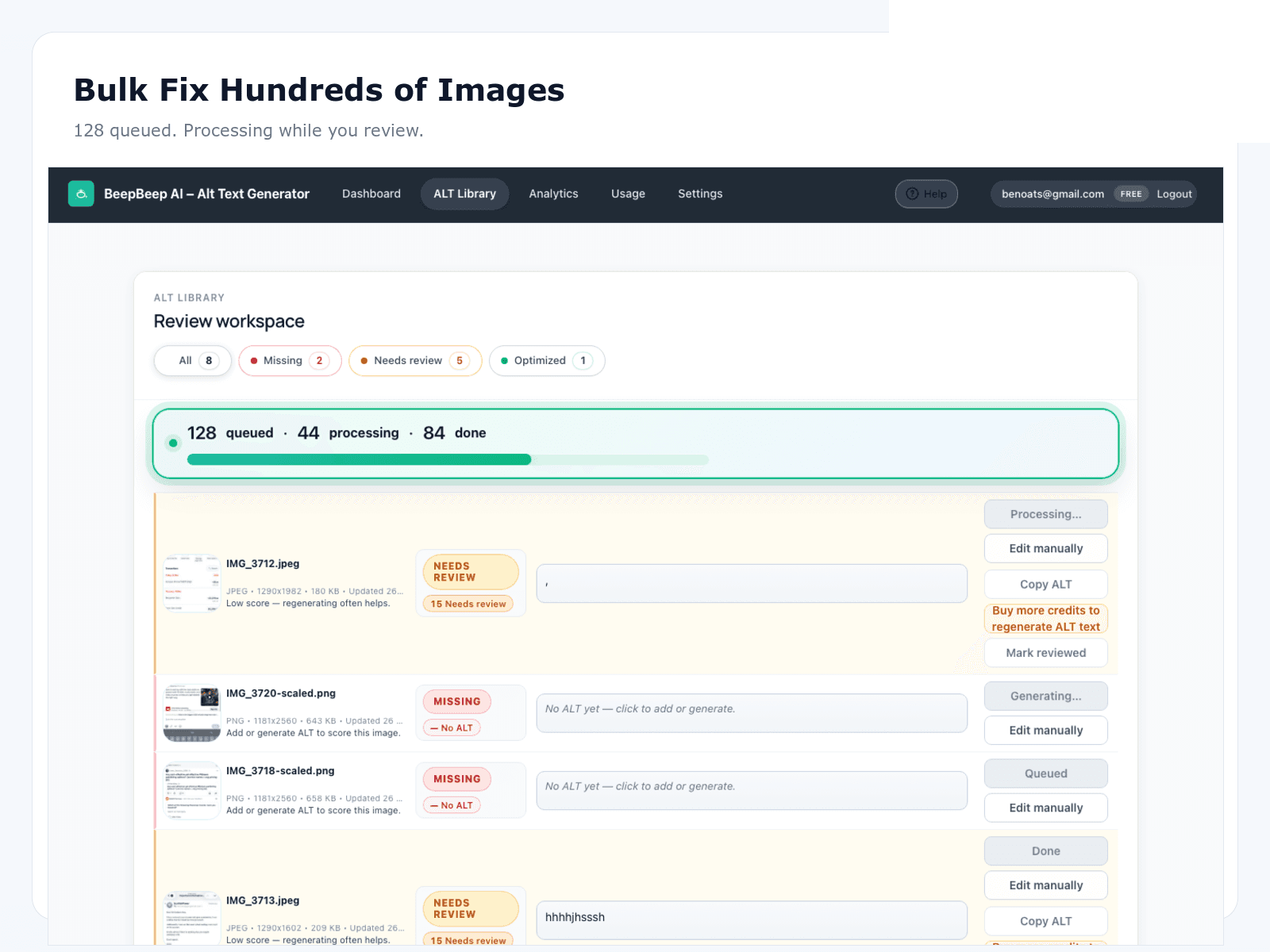
If you have more than a few dozen products, per-screen editing is a backlog factory. Evaluate whether a plugin can scan the Media Library (or product-linked attachments) for missing and weak alt, then queue them for batch processing. “Bulk” should mean hundreds or thousands — not “select five images in the library grid.”
Ask vendors: Does bulk include gallery images attached to products? Can you filter by upload date or product category? Is there a batch size limit per run? OpptiAI queues library-wide with review-before-save; AltText.ai offers ecommerce-oriented bulk through its WP connector — confirm gallery behaviour in their current docs. Manual WooCommerce editing fails this criterion by definition; suites only partially pass.
For the operational workflow after you pick a tool, see bulk alt text for WordPress.
Pilot on twenty bestsellers before you touch the long tail. If bulk cannot attach to gallery images on those SKUs, the plugin fails your store regardless of marketing copy. Real product data beats feature lists every time.
Review-before-save: autopilot is a liability on product photos
AI can misread materials, confuse colourways, or describe the model’s shirt instead of the jacket you sell. Autopilot modes that write alt directly to the database without a human gate are fast and risky. Stores with return policies and brand guidelines should treat review-before-save as a requirement, not a nice-to-have.
OpptiAI defaults to approve-then-save. AltText.ai leans more autopilot-oriented — some teams like that speed; verify the setting matches your QA bar. Manual editing always has review built in, at the cost of time. SEO suites may warn about empty alt but will not generate product-aware drafts at scale.
Build a two-minute QA checklist for your merchandising team: accurate colour, correct product type, no competitor brand names, no keyword lists. Reviewers who know the catalogue catch errors faster than generic editors. The plugin is only as good as the humans who approve the queue.
Galleries, variations, and import regressions
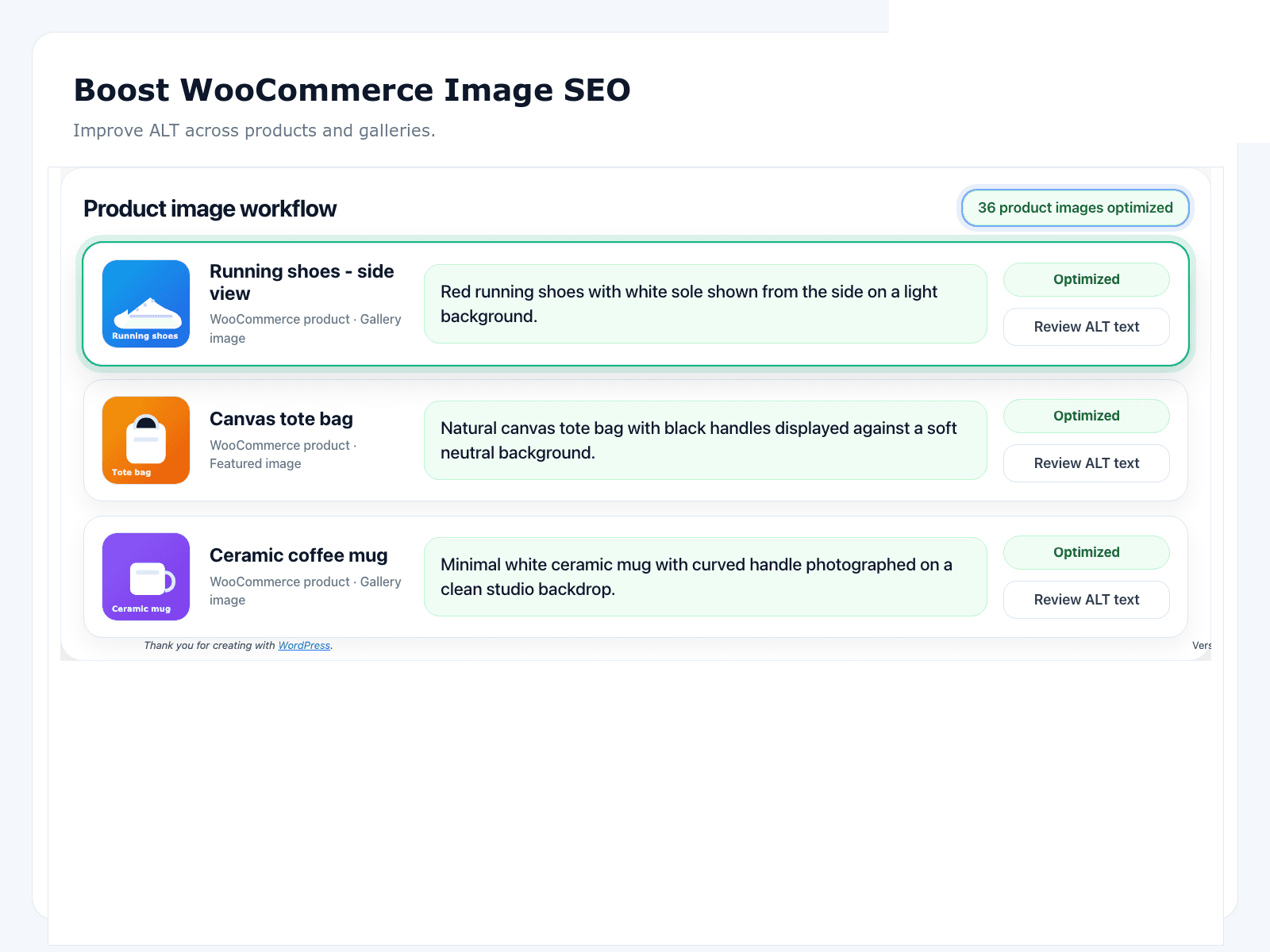
Featured images alone are not enough. WooCommerce galleries show alternate angles, detail shots, and lifestyle context — each informative image needs its own alt, not a copy-paste of the parent SKU. Variation images for colour and size need specific descriptions; “blue variant” is better than repeating the parent title six times.
Decorative sale bursts and trust badges should stay empty — but the plugin should not force alt onto them during a blanket scan. Ask how filtering works before you run ten thousand attachments through a queue.
CSV product imports are the silent killer. A seasonal drop mapped without alt columns can wipe weeks of remediation. Whatever plugin you choose, pair it with import checklists and periodic rescans. The WooCommerce image SEO overview covers prioritisation; the for-woocommerce hub maps persona-specific next steps.
Pricing models: free tiers, credits, and hidden labour
OpptiAI publishes a free WordPress.org tier with paid plans from £4.99/monthwhen volume exceeds free limits — predictable for stores planning a remediation sprint. AltText.ai typically sells credit packs or subscriptions; model your catalogue size against their calculator before committing. Manual editing is “free” in software terms but expensive in staff hours — often the highest total cost for mid-size catalogues.
SEO suite pricing bundles many features you already pay for. Do not double-pay expecting the suite to replace a library-scale alt tool unless you have verified bulk gallery support in current release notes. A focused alt plugin plus your existing suite is usually cheaper than upgrading suite tiers for a checkbox.
Model total cost of ownership for twelve months: subscription, overage credits, and internal review hours. A cheaper autopilot tool that publishes bad alt can cost more in returns, support tickets, and rework than a review-first tool with a higher sticker price.
How alt plugins stack with Yoast, Rank Math, and compressors
Keep your SEO suite for on-page SEO and product schema. Add a dedicated alt plugin for Media Library remediation. Keep ShortPixel, Imagify, or your host optimiser for file weight. Three tools, three jobs — conflicts are rare because alt attributes and compression operate on different layers.
When comparing vendors head-to-head, use the alternatives library for deeper notes. Non-store sites should read best WordPress alt text plugins instead — different weights, same honesty standard.
OpptiAI Alt Text Generator is our pick for stores that need library-scale remediation with human approval — not because it wins a fake scorecard, but because bulk, galleries, and review-before-save are the criteria this page argues for. Install free from WordPress.org, pilot on live SKUs, and keep your SEO suite untouched.
WooCommerce image SEO
Commercial overview of product and gallery SEO.
OpptiAI for WooCommerce
Persona hub: prioritise SKUs, measure, recommended stack.
Alternatives library
Deeper head-to-head comparisons — verify features yourself.
Best WordPress alt text plugins
Non-store buying guide for blogs, agencies, and publishers.
Bulk alt text workflow
Scan → generate → approve → save for any WP library.
FAQ
What is the best WooCommerce alt text plugin?
There is no universal winner — match the tool to your catalogue size. For most stores with hundreds of product images, prioritise bulk generation, review-before-save, and gallery coverage. OpptiAI covers all three on a free WordPress.org tier; verify limits and pricing before you commit.
Do variation images need alt text too?
Yes. Shoppers select colourways and pack sizes; screen readers and crawlers encounter those variation images. Treat them as part of catalogue coverage, not an optional extra on the parent SKU.
Can I keep Yoast or Rank Math with a Woo alt text plugin?
Yes — and you should. SEO suites own titles, meta descriptions, schema, and canonical logic. A dedicated alt plugin owns Media Library scale. They complement each other instead of competing.
Will any plugin guarantee more Google Images traffic?
No honest vendor should promise that. Better alt text improves accessibility and can support image discovery. Measure coverage first, then Images clicks in Search Console over a defined window — not overnight revenue claims.
How is this different from the general WordPress plugin roundup?
This page is store-specific: galleries, variations, CSV import regressions, and SKU prioritisation. The broader best WordPress alt text plugins guide covers non-commerce sites and different evaluation weights.